
Maternity Top-Up Excel Template – Free (2026)
2
Free download
Track LLP withdrawals, annual repayments, balances, due dates, and payment status in one Canadian spreadsheet.
Download template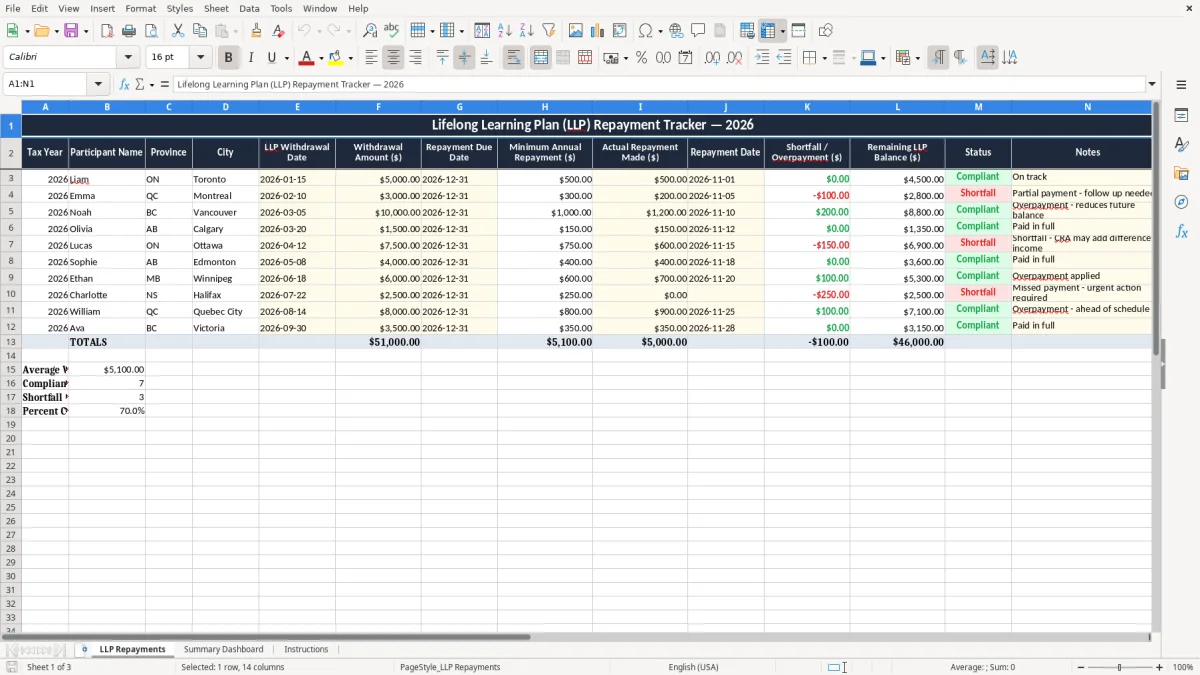
This LLP repayment Excel template tracks your withdrawal amount, repayment due date, minimum annual repayment, actual payment, and remaining balance in one place. It is built for Canadians who need to follow a Lifelong Learning Plan repayment schedule without missing a year.
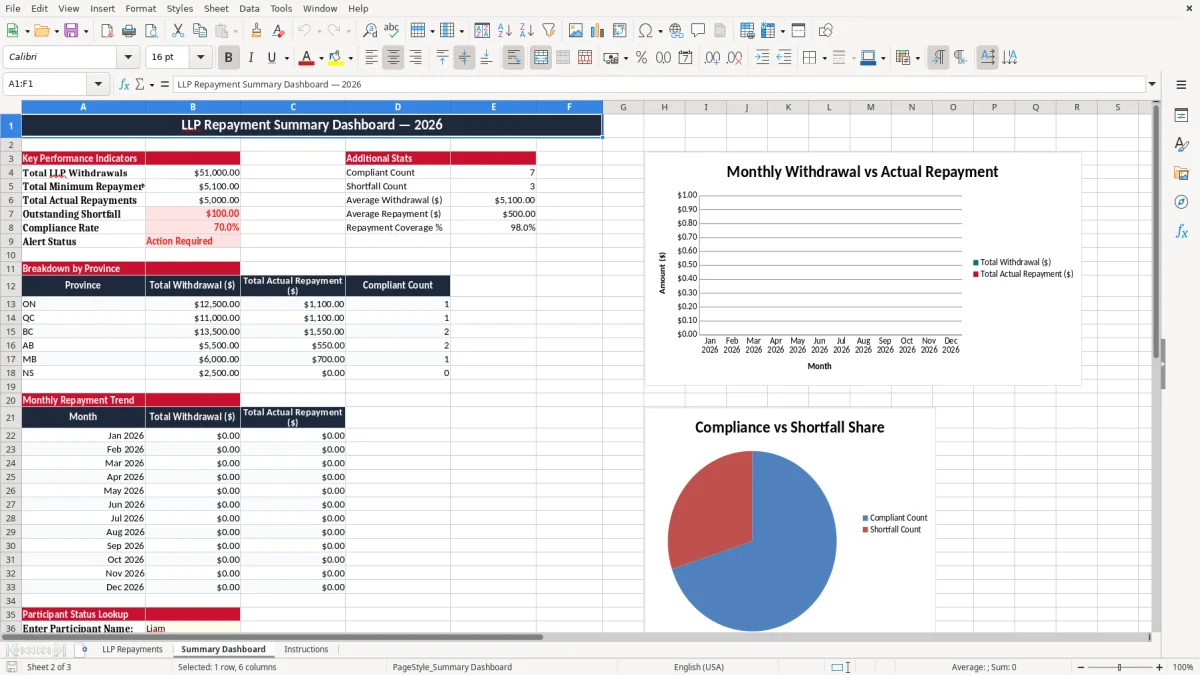
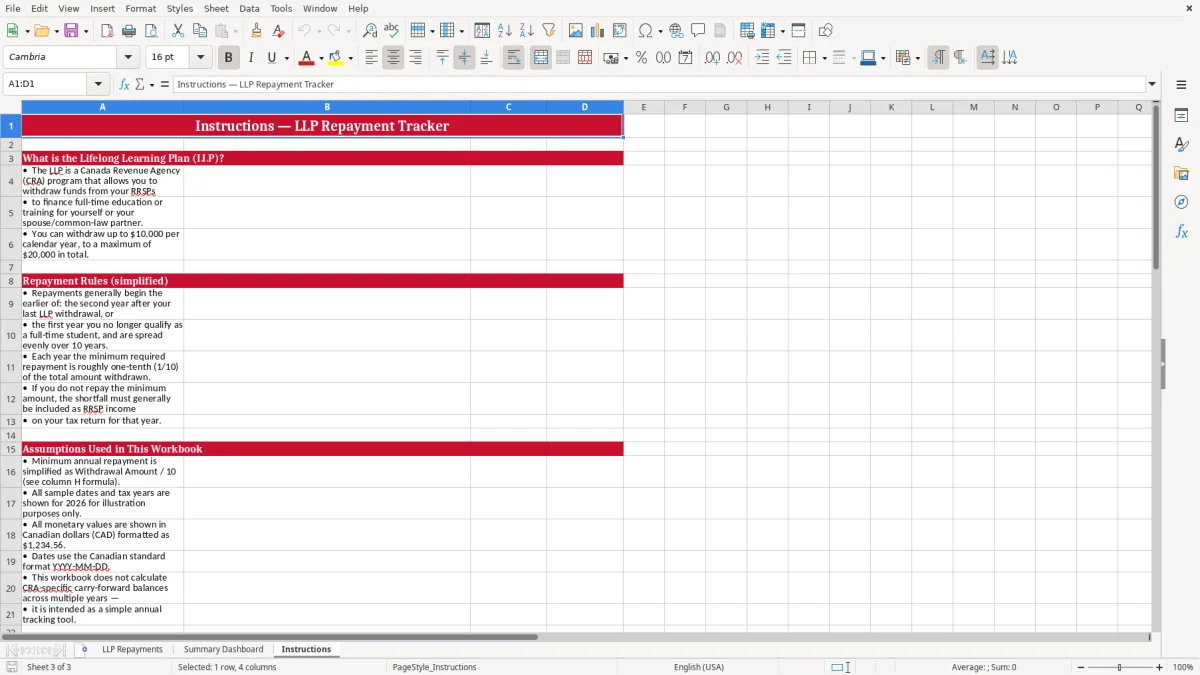
The workbook includes an LLP Repayments sheet for transaction details, a Summary Dashboard for totals and status, and Instructions for quick setup. Use it to stay on top of the annual repayment window, whether you are repaying a $3,000 withdrawal or a $10,000 withdrawal split across several years.
If you are managing this alongside your tax records, the sheet helps you keep the repayment history visible before filing season. It is easier to spot a shortfall early than to guess later whether you met the minimum for the year.
An LLP repayment spreadsheet is for you if you withdrew from the Lifelong Learning Plan and now need to track annual repayments back to your RRSP. In practice, that means a student returning to school, a worker retraining for a new trade, or a couple managing the repayment inside a household budget.
This is the kind of file you open at year-end, at tax time, or when you are checking whether you have paid enough before the deadline. If you borrowed $10,000 under the plan and the minimum repayment is $1,000 a year, you want to see instantly whether you paid $1,000, $600, or $1,300.
A sole proprietor can use it to keep personal repayment records separate from business books. A family with two incomes may need one tracker for each person if both withdrew under the plan, while a bookkeeper at an incorporated business may simply help an owner keep the dates straight.
The Summary Dashboard gives you a quick read on the whole file. If you have four repayments of $500, $750, $1,000, and $1,250, the totals tell you more quickly than scanning the row-by-row list.
The repayment file is useful because the LLP follows a fixed annual repayment schedule that must be tracked against your personal tax records. For 2026, you want the withdrawal date, the repayment due date, and the annual repayment amount all visible together so nothing is guessed from memory.
The CRA expects you to keep supporting records for at least six years, so this spreadsheet can become part of your file history. If you withdraw $8,000 and repay $800 a year for 10 years, the workbook gives you a clean trail from the first withdrawal to the final balance.
This is not a GST/HST register or a payroll schedule, but the same record discipline applies. You want the date, amount, and status shown clearly so that if a line is ever questioned, you can point to the original entry instead of recreating the history from bank statements.
For a self-employed person filing a T1 with a T2125, the LLP sheet sits beside the rest of your year-end paperwork. If you have a $500 minimum repayment and only $350 was paid, the spreadsheet tells you there is a $150 gap before the year closes.
The same year-end paper trail also keeps a home buyers repayment record organized when a separate withdrawal schedule has to match the amounts reported on your return.
The usual failure is not the math; it is the missing record. Someone makes a $600 payment in November, forgets to mark the date, and by February cannot prove whether the annual minimum was met, which creates unnecessary back-and-forth with bank statements and old email receipts.
A second problem is overpayment or misapplied payment history. If the minimum was $750 and you paid $900, the extra $150 should be visible as an overpayment so you do not repeat the full amount the next year by mistake.
One missed repayment year can cost hours of cleanup at tax time because you are digging through old cheques, online banking downloads, and payment confirmations. If you are tracking three withdrawals at once, a single bad row can force you to re-check the whole schedule.
If the remaining balance is not updated after each payment, you may think you still owe $4,000 when the real balance is $2,700. That kind of error does not just waste time; it can lead to overpaying in one year and then discovering the mistake too late to correct the pattern.
That same balance check is what keeps contribution room records aligned with each payment, so you do not mistake unused room for an actual remaining balance.
The easiest way to keep using this file is to tie it to a fixed annual habit. Open it when you do your personal RRSP review, your tax return prep, or your year-end file cleanup, and update the row before you move on.
If your situation has grown into several withdrawals, several people, or many supporting documents, a spreadsheet may no longer be enough. At that point you want a more formal personal finance system, but for most Canadians this workbook is the simplest way to stay organized.