
Provincial Tax Excel Template – Free (2026)
6
Free download
Track taxable sales, GST, QST and net remittance in one workbook with transactions, return summary, dashboard and instructions.
Download template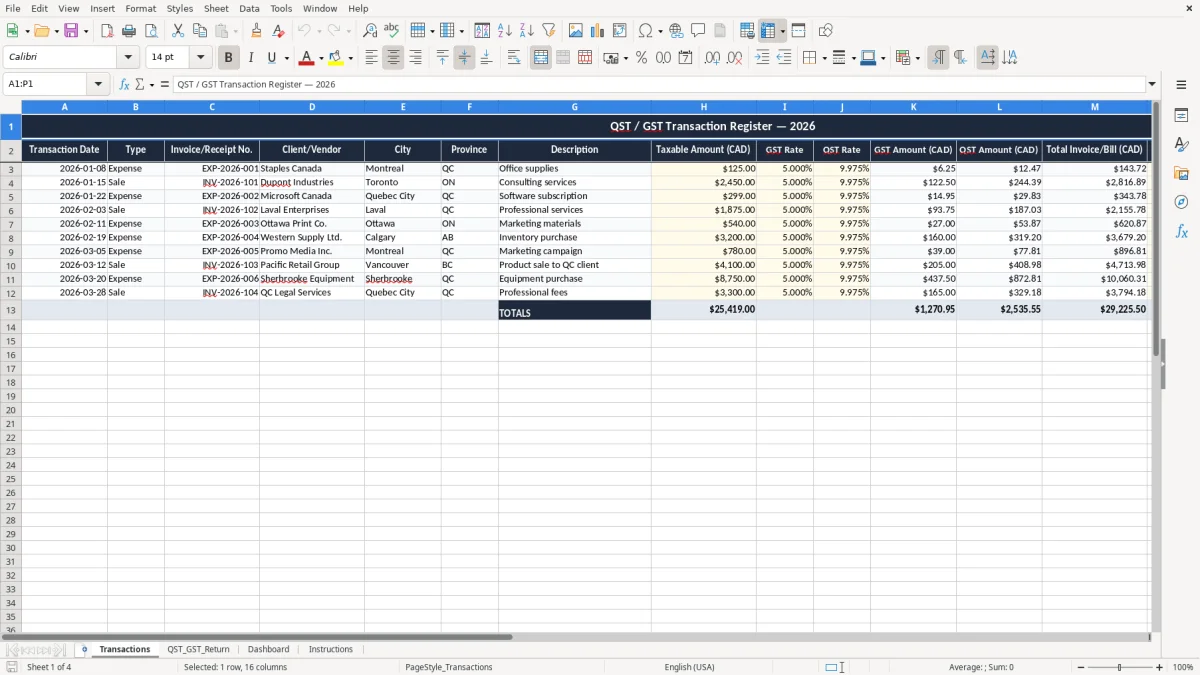
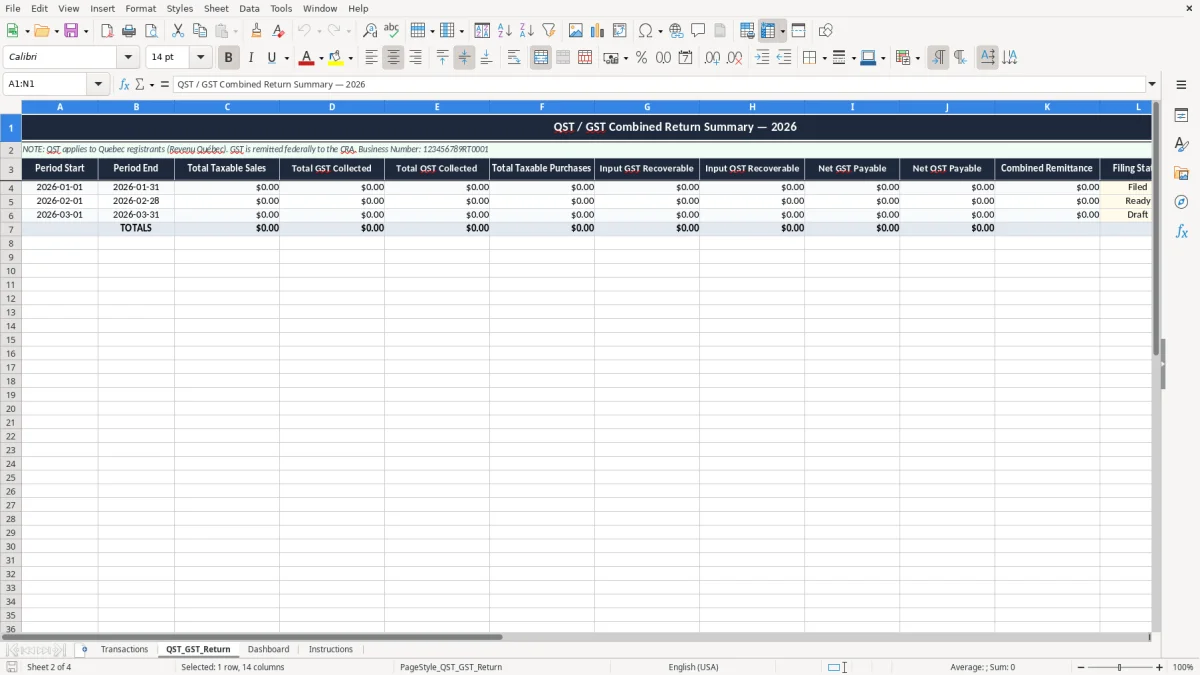
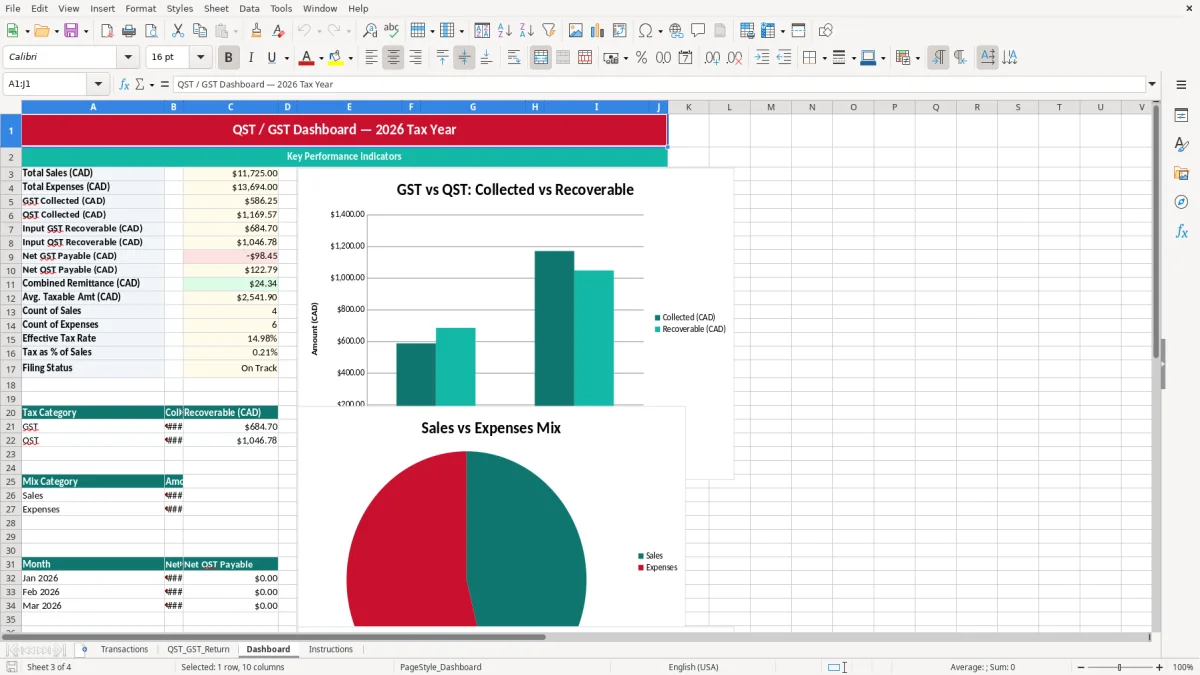
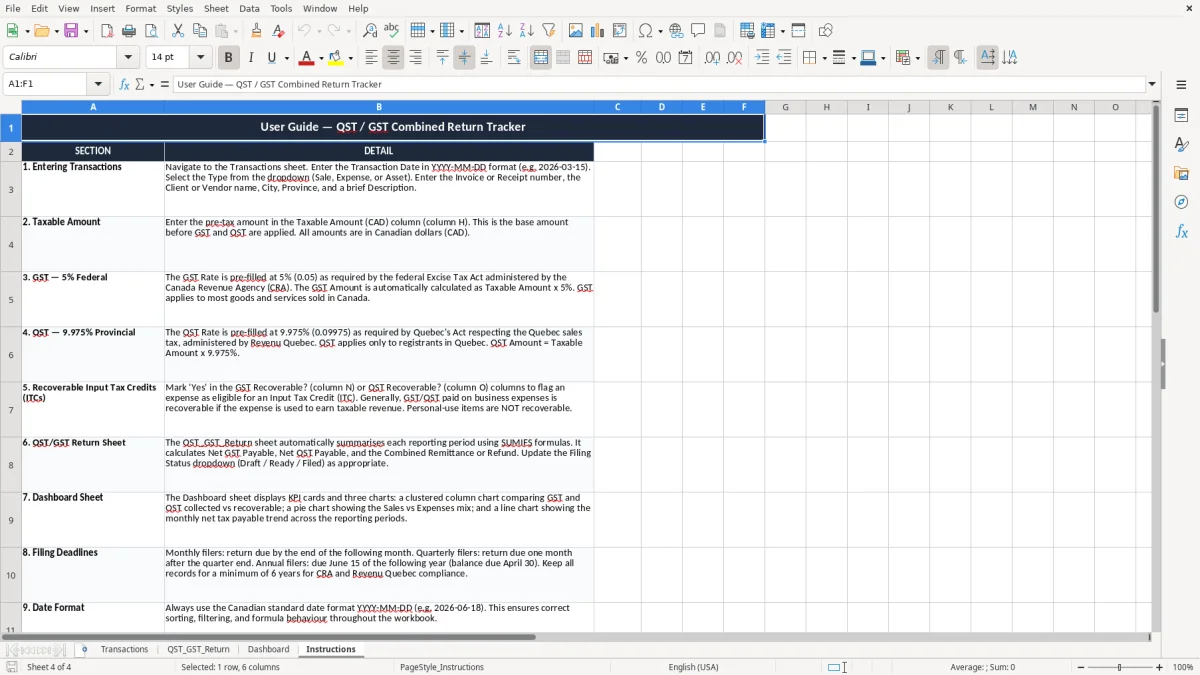
This QST GST return Excel spreadsheet helps you track taxable transactions, calculate GST and QST, and total the amount you owe or can claim. It includes Transactions, QST_GST_Return, Dashboard, and Instructions sheets.
Use it when you need a simple Canadian sales tax workbook for Quebec. The Transactions sheet captures each invoice or bill, and the return sheet rolls the numbers into a clean filing summary.
The dashboard gives you a quick view of tax collected, tax paid, and net remittance before you file.
This workbook is for you if you file Quebec sales tax regularly and want one place to see taxable sales, tax paid, and the net remittance. A sole proprietor with 18 invoices in a month, a small incorporated shop with 240 receipts, or a bookkeeper handling several clients can all use it without changing systems.
The pressure point is usually filing time. If you collect $1,250.00 in GST and $1,875.00 in QST on monthly sales, you do not want to rebuild those numbers by hand from a stack of invoices the night before the deadline.
The Transactions sheet records each row once, then the QST_GST_Return sheet adds up the period totals. That is much faster than retyping the same invoice data into a separate spreadsheet for filing, especially if you have sales, refunds, and mixed vendor bills in the same period.
Say you run a small service business with 40 taxable invoices at $150.00 each in a month. That is $6,000.00 in taxable sales before tax, and the workbook lets you carry the GST and QST amounts through to the return without manual addition every time.
Those taxable sales still need to tie back to the source records, and the revenue reconciliation sheet is the next step for matching the totals to what gets filed.
For Quebec filing, you need records that support the tax you charged and the input tax you claimed. The CRA requires business records to be kept for six years, and in practice that means your workbook should line up with source documents, not guesses.
GST is 5%. QST is 9.975%, and in Quebec the QST calculation is not just a simple add-on when the tax is taxable on the GST-inclusive base. If you sell a $100.00 item, the combined tax is $14.98 in most standard cases, which is why separate fields for GST and QST matter.
If your worldwide taxable revenue is over $30,000.00 over four consecutive calendar quarters, GST/HST registration becomes mandatory. Once you are registered, your filings may be monthly, quarterly, or annual depending on your assigned cycle, and your workbook should match that period exactly.
The QST_GST_Return sheet gives you a filing-ready summary for the period, which is what you need when you compare your collected tax against your deductible tax credits. If you are using the regular method, the detail in Transactions supports those numbers line by line.
The most common problem is a transaction entered with the wrong tax rate or the wrong province. A $2,400.00 invoice marked as Ontario instead of Quebec can distort both GST and QST calculations, and the error usually shows up only when you are already trying to file.
If you claim tax paid on a vendor bill without the invoice number, date, or vendor name, you will spend time fixing the backup later. On audit, weak support can mean denied input tax credits and a return that has to be adjusted.
Another issue is mixing tax-inclusive and tax-exclusive entries in the same sheet. If 12 receipts are entered as tax-inclusive and 8 are entered as tax-exclusive without a clear method, the return summary can be off by dollars, not cents.
People often trust a bank balance and forget that sales tax is not their money. If you collected $3,000.00 in tax during the quarter and spent $1,200.00 of it before setting it aside, the filing becomes a cash flow problem instead of a bookkeeping task.
That is exactly the point where a quick HST worksheet keeps the quarter’s tax separate from operating cash.
The easiest way to make this spreadsheet stick is to use it on the same day every week or every month. Many small businesses update it after the payroll run, after bank reconciliation, or on the last business day before the GST/QST deadline.
If you are processing 300 orders a month, have several tax codes, or need detailed audit trails for multiple staff, you may outgrow a manual workbook. At that point, an accounting system with sales tax modules and bank feeds will usually save more time than a spreadsheet can.
For a small service business with under 100 entries per filing period, this template is often the fastest way to stay organized. Once the volume is high enough that you spend more time correcting entries than filing the return, it is time to automate.