
Provincial Tax Excel Template – Free (2026)
6
Free download
Track Quebec employee data, reconcile RL-1 totals, and compare payroll records with summary figures in Excel.
Download template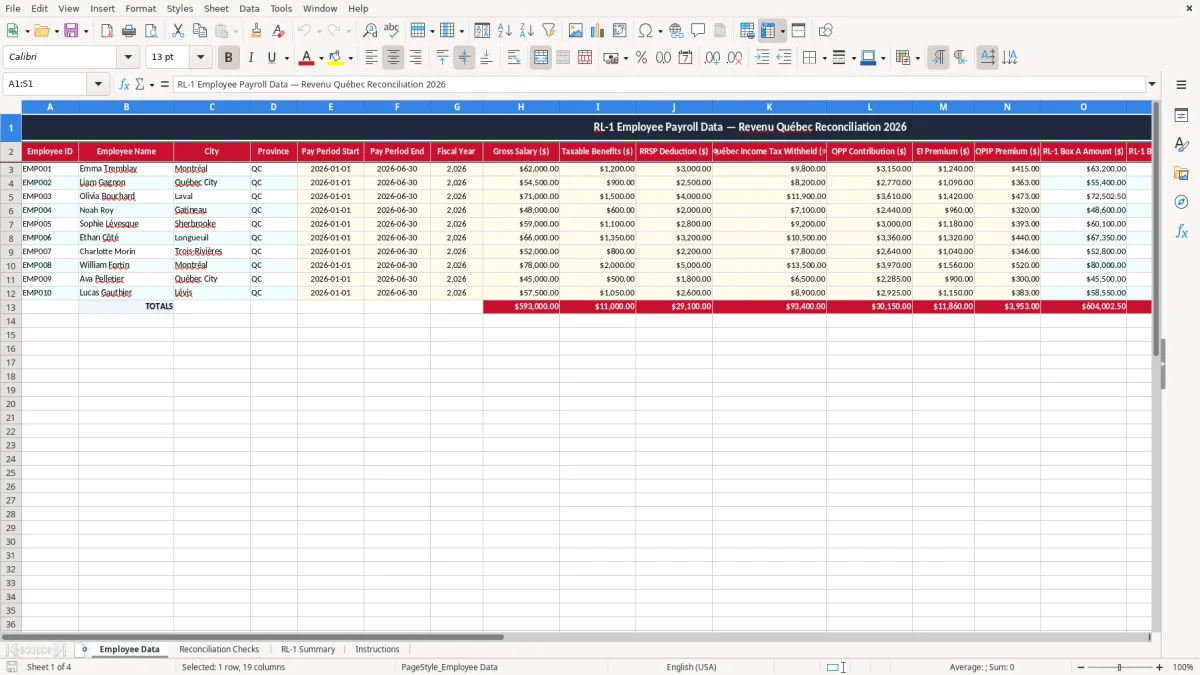
This RL-1 reconciliation Excel template helps you compare Quebec payroll records with summary totals before you file. It includes Employee Data, Reconciliation Checks, RL-1 Summary, and Instructions so you can spot mismatches in pay, tax, and deductions quickly.
You use it when you are preparing RL-1 slips for employees, a payroll run has changed mid-year, or your year-end numbers do not tie to the source reports. The workbook is set up to keep the data entry, check formulas, and summary view separate.
If you manage payroll for a small company, a non-profit, or a bookkeeper handling a few dozen employees, this is the part that saves time. You can see the full picture on one screen instead of hunting through payroll exports and manual notes.
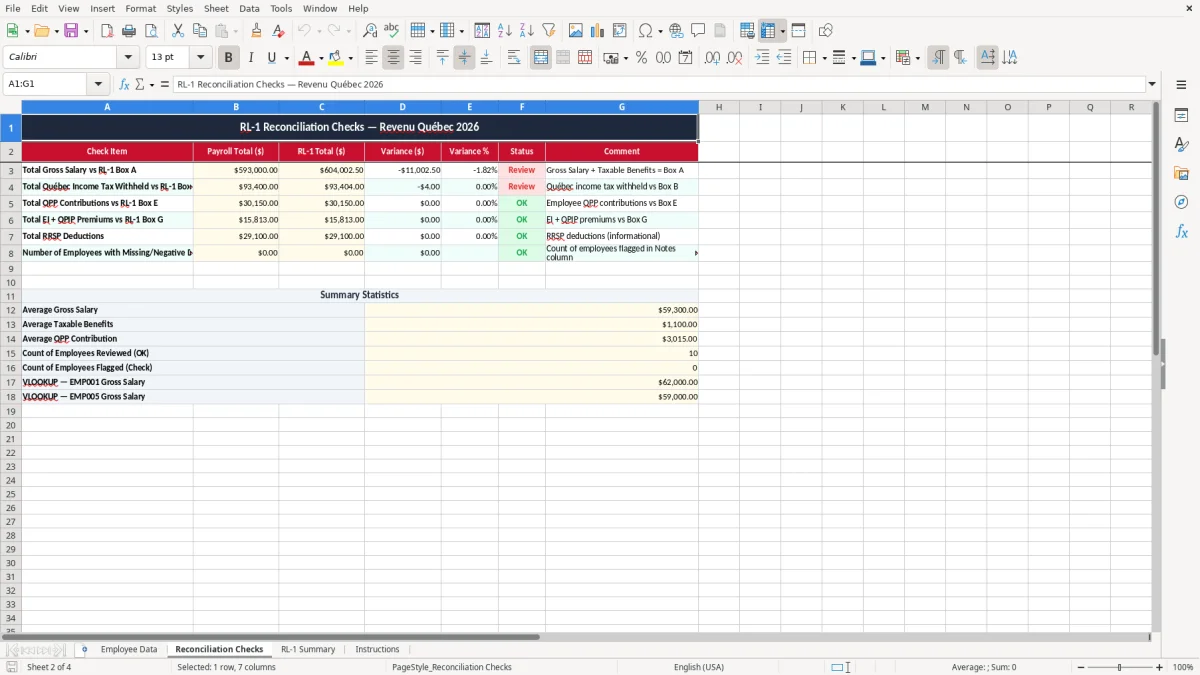
You reach for this template when payroll numbers need to line up before RL-1 slips go out in Quebec. That usually happens at year-end, after a retroactive pay change, or when a payroll export from 12 or 24 pay periods does not match the summary you expected.
A sole bookkeeper at a 15-person shop uses it to compare taxable benefits, Quebec Pension Plan deductions, and other payroll amounts before filing. An office manager at a plumbing company might be checking a crew of 4 technicians and 1 apprentice after a bonus run added $1,200.00 to the gross pay.
The Employee Data sheet captures the details, the Reconciliation Checks sheet tests the numbers, and the RL-1 Summary sheet pulls the final totals together. If you are reconciling 20 employees and one person is missing a $42.50 deduction, the mismatch shows up before you send anything to Revenu Québec.
Say you have 18 employees, each with an average of $2,400.00 in taxable pay for the period. That gives you $43,200.00 to tie out, and even a 0.5% variance means a $216.00 difference worth fixing before filing.
That same year-end review often leads into employment expense tracking, where the figures behind deductions and allowances need to match the records used for filing.
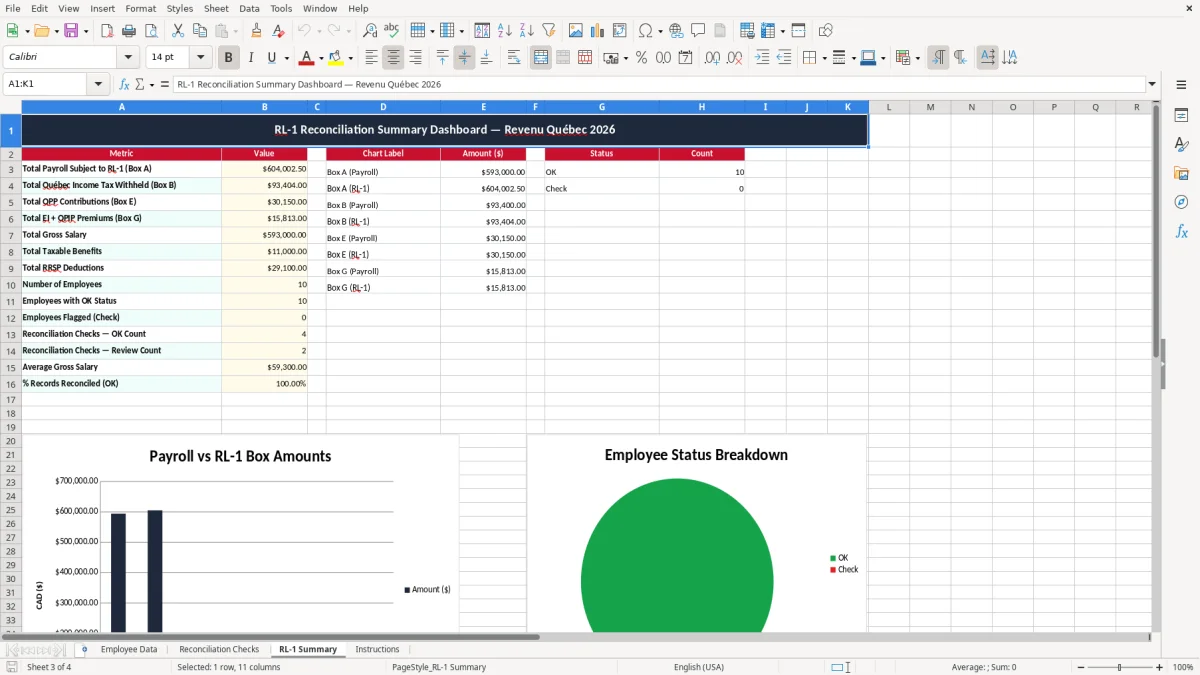
Revenu Québec expects the numbers behind an RL-1 to be traceable back to payroll records, not just copied from a summary report. Keep the supporting detail for at least the CRA-style six-year retention period, because payroll records often need to survive well past the filing date.
Your reconciliation should tie employee pay, tax withheld, Quebec Pension Plan contributions, and other amounts back to the totals you plan to report. If you are filing for 9 employees and one has a $78.00 taxable benefit that was missed, the summary will be wrong even if the rest is perfect.
This workbook splits data entry, checks, and summary so you can see where the problem starts. That is better than editing a single tab, because a fix in one cell can quietly break the total somewhere else.
For a small payroll, I prefer a simple reconciliation workbook over a big ERP export when the team is under 50 employees and the issue is year-end cleanup. At that size, a clean spreadsheet is faster than re-running a payroll system report three times and hoping the numbers settle.
The most common problem is a mismatch between the payroll register and the summary line on the slip. A missing taxable benefit of $150.00, a double-entered bonus, or a late source deductions adjustment can throw off the whole filing.
If you miss one employee’s Quebec tax withholding by $37.00 and the error repeats across 24 pay periods, you are no longer looking at a rounding issue. You are looking at a real reconciliation gap that can take an hour or more to trace back through payroll reports and bank records.
People often patch the summary instead of correcting the source data. That creates a second problem in month-end or year-end, because the numbers no longer agree with the general ledger, the payroll journal, or the T4/RL filing package.
On a 6-person office payroll, one employee’s bonus was entered twice at $500.00. The mistake was only $500.00, but it took 45 minutes to unwind because the gross pay, taxable benefits, and tax withheld all had to be rechecked line by line.
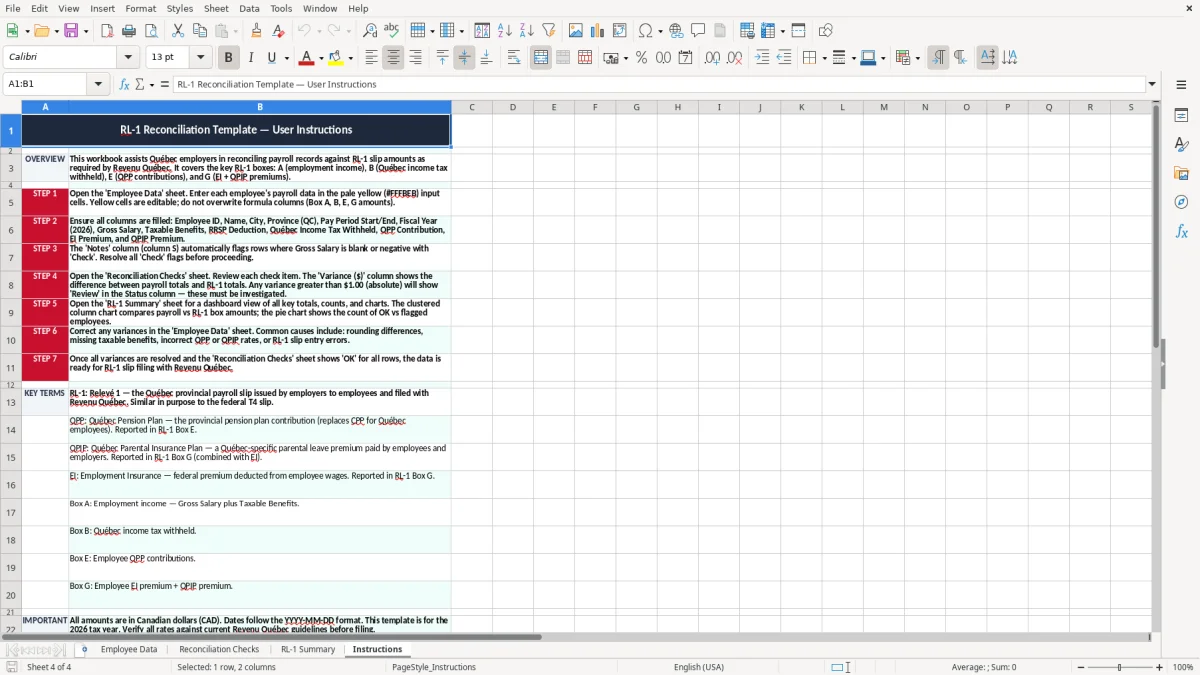
The easiest way to keep this file alive is to tie it to something you already do, such as the last payroll run of the month or the year-end slip review. If you wait until filing week, the workbook becomes a catch-up job instead of part of your routine.
If you are running 100+ employees, correcting retro pay every cycle, or managing multiple departments with separate approval steps, a payroll system will be easier than a spreadsheet. For a small Quebec payroll, though, this workbook stays practical because it is fast to update and easy to explain.