
Maternity Top-Up Excel Template – Free (2026)
2
Free download
Track RRSP room, contributions, over-contributions and notes by tax year in one Canadian Excel workbook.
Download template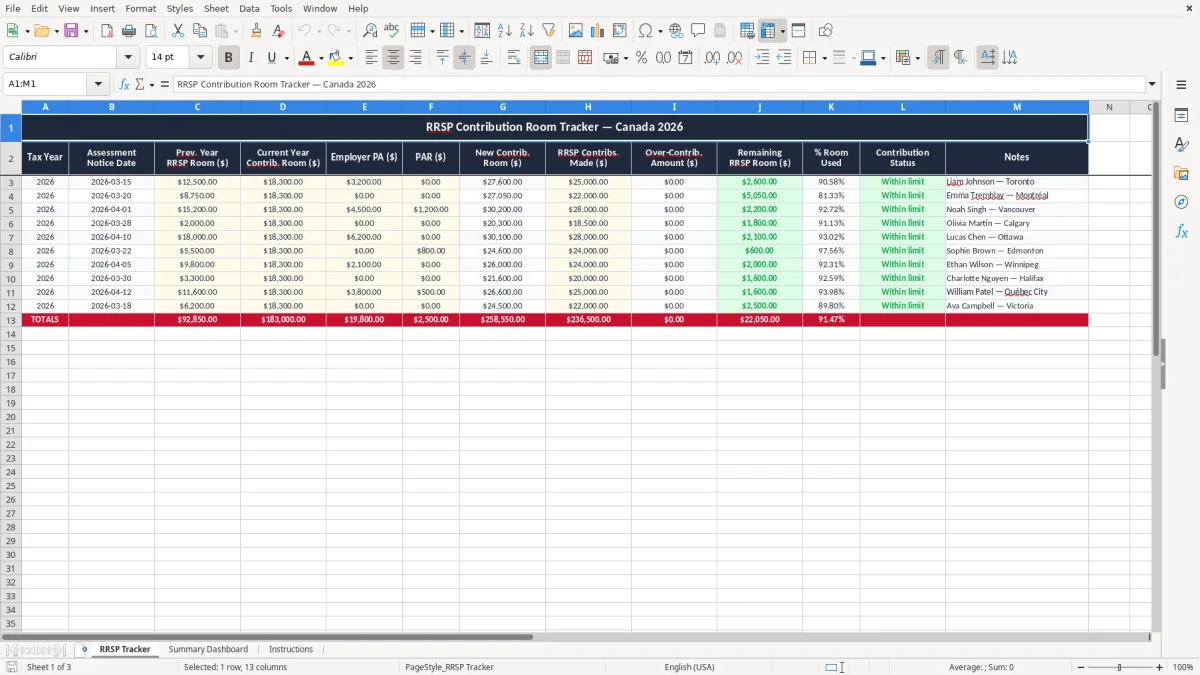
This RRSP contribution room tracker Excel template helps you record your annual room, RRSP deposits, employer pension adjustments and any over-contribution amount in one place. It is built for Canadian taxpayers who want a simple record they can compare to their CRA Notice of Assessment.
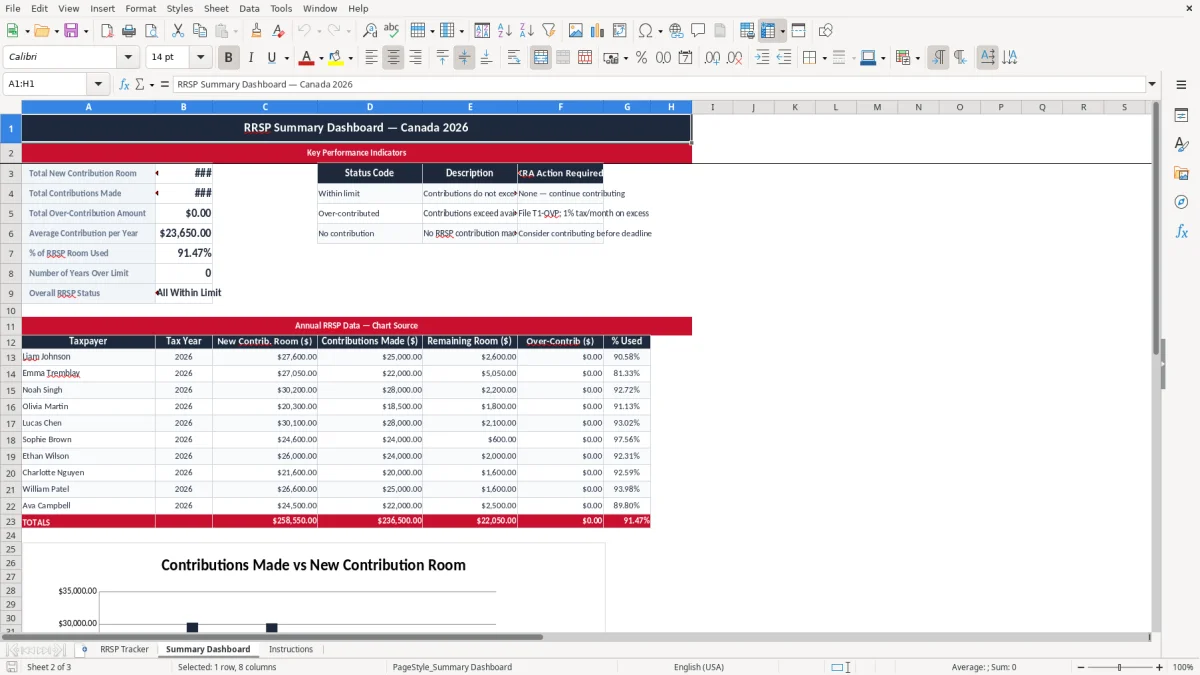
The workbook includes a tracker sheet, a summary dashboard and instructions. It gives you a clear view of remaining room, percent used and contribution status so you can avoid guessing before you contribute.
Use it when you receive your assessment notice, before a payroll deduction, or when you are checking whether a planned deposit will fit inside your room.
You use this file when you do not want to guess at your RRSP room. A self-employed person with uneven income, an incorporated employee with a pension, or a couple trying to line up two retirement plans can all use the same tracker.
The pressure points are usually after a CRA Notice of Assessment arrives, before a March contribution deadline, or when payroll is about to make a lump-sum deduction. If you have $18,000 of room, contribute $6,000 in January and $6,000 in February, the sheet shows the remaining $6,000 right away.
Say you earned $82,000, your notice shows $14,400 of room, and your employer pension adjustment reduces that by $3,200. The tracker gives you a new room figure of $11,200 and shows whether a planned $10,000 contribution is safe or tight.
A paper notice and a bank receipt are not enough when you have three deposits, one employer pension and a prior year carry-forward. This sheet keeps the numbers together so you can see the balance before you act.
That same year-end paper trail is also where a work expenses form comes into play when you need to document deductions against employment income.
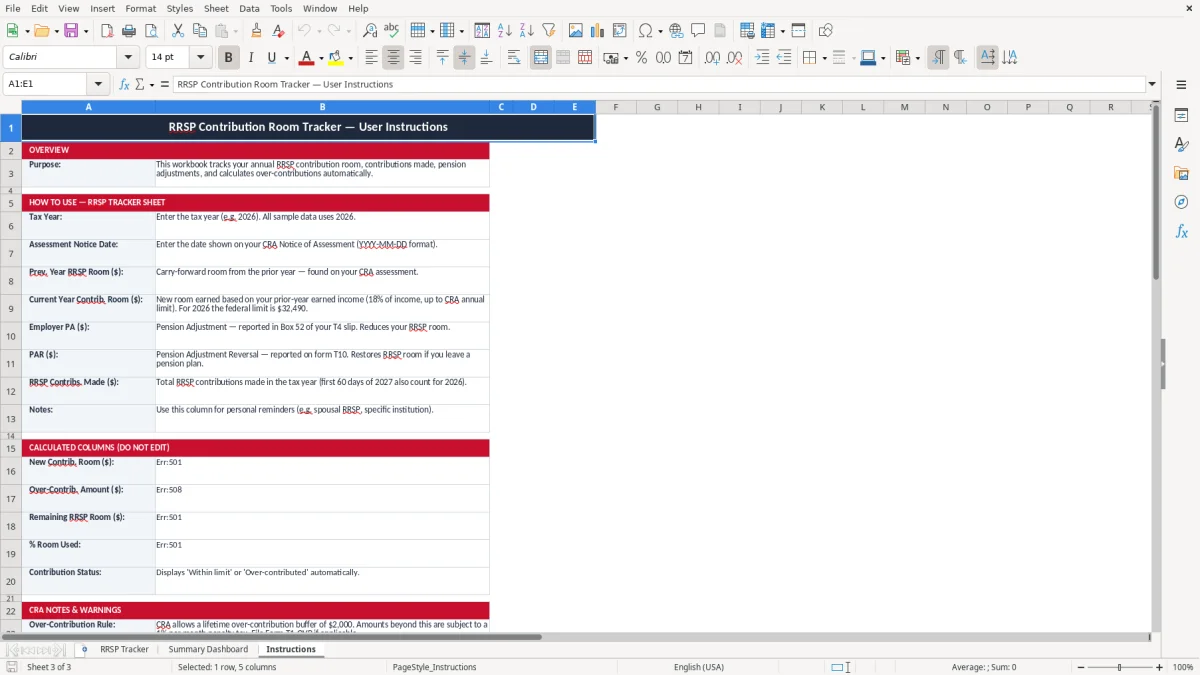
For 2026, your RRSP deduction room is tied to earned income and the CRA calculation on your Notice of Assessment. The common rule you track is the 18% limit on prior-year earned income, up to the annual maximum, minus any pension adjustment.
If your earned income was $70,000, the basic room calculation is $12,600 before pension adjustments and carry-forwards. If your employer PA is $4,000, your usable room becomes much smaller, and that is why the sheet includes separate PA and PAR fields.
You do not file RRSP room to a separate program account, but you do need to keep the notices, receipts and calculation support for your own records. The CRA expects you to keep tax records for six years, so the tracker gives you a clean yearly history instead of scattered PDFs.
An RRSP contribution made in January can often be claimed for the previous tax year if you are still within that year’s deduction window. That is why the tracker includes the tax year and notice date: a $5,000 deposit in January can belong to a different deduction decision than the same deposit in July.
The most common mistake is treating bank balance and RRSP room as the same thing. They are not, and a $2,000 over-contribution can create needless tax forms, extra reporting and a monthly penalty until it is corrected.
People often forget a pension adjustment, enter the wrong tax year, or count a contribution twice after moving money between institutions. If you made three deposits of $2,500 and one was already used for a prior-year claim, your real current-year amount may be $5,000, not $7,500.
An over-contribution can lead to a CRA tax penalty of 1% per month on the excess amount. On a $4,000 excess balance, that is $40 a month, or $480 over a full year if it sits there untouched.
The summary view helps you catch a mismatch before you file or before your financial institution processes another deposit. That is far better than discovering the error after your notice arrives and you have to backtrack through receipts and slips.
The summary view helps you catch a mismatch before you file or before your financial institution processes another deposit, and the same kind of running check belongs in a remittance tracker when you are matching CPP and EI deductions against each pay period.
The easiest way to keep this file alive is to tie it to a fixed date, not to motivation. For many Canadians, that means updating it when the notice arrives, again after the first January contribution, and once more before the CRA contribution deadline.
This file works well if you have a handful of RRSP transactions a year and want a clear audit trail. If you are managing dozens of employees, multiple pension adjustments or company payroll deductions, you may need a payroll or benefits system instead of a manual tracker.