
Maternity Top-Up Excel Template – Free (2026)
2
Free download
RRSP drawdown model with tax withholding, balance projections, age-based withdrawals, summary dashboard and instructions for Canada.
Download template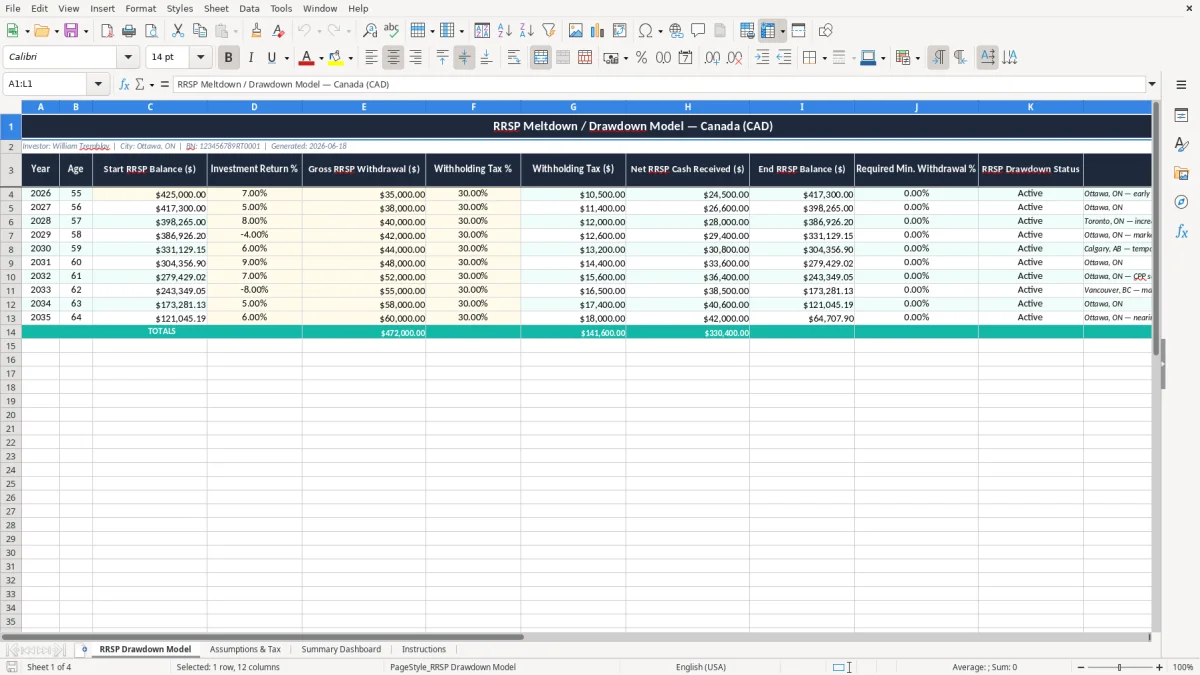
This RRSP meltdown and drawdown Excel template helps you model withdrawals in Canada, show the withholding tax, and track the balance year by year. It includes a drawdown sheet, assumptions and tax inputs, a summary dashboard, and an instructions tab.
You can use it to compare gross withdrawals, net cash received, and the remaining RRSP balance across ages. It is built for planning retirement income, estimating cash flow, and checking what happens when withdrawals start at different rates.
The workbook is set up for Canadian figures in dollars and uses a simple layout you can update each year. If you want to see the effect of a $50,000 withdrawal, a 5% return, and 10% withholding tax, this template gives you a clean starting point.
This template is for the person who is about to start withdrawals and wants the numbers in front of them before the first transfer hits the bank. A retiree in Ottawa, a bookkeeper helping a client at year-end, or a spouse planning household income can all use it to see how much cash comes out after withholding.
Image 1, the RRSP Drawdown Model sheet, shows the core table. The columns cover Year, Age, Start RRSP Balance, Investment Return %, Gross RRSP Withdrawal, Withholding Tax %, Withholding Tax $, Net RRSP Cash Received, End RRSP Balance, Required Min. Withdrawal %, RRSP Drawdown Status, and Notes.
If you are 65 with a $420,000 RRSP and you want to test a $35,000 withdrawal, this sheet shows the cash you actually receive after tax withheld. If the portfolio earns 5% and you withdraw $35,000, the ending balance can still be projected instead of guessed.
Self-employed people moving from T2125 income into retirement, couples shifting from work income to pension income, and accountants doing planning for a client all use the same basic question: how much can you take out without draining the account too quickly? This template answers that with a row-by-row schedule instead of a vague rule of thumb.
Once you reach age 71, your RRSP must be collapsed and moved to an RRIF or annuity by the end of that year. The minimum withdrawal starts in the next year, and the rate rises with age, which is why a drawdown model needs an age column and a minimum withdrawal percentage column.
The withholding tax on RRSP withdrawals is not your final tax bill. For example, if you withdraw $50,000 in Ontario and your institution withholds 20%, you receive $40,000 cash, but your actual income tax result is settled on your personal return, often on the T1 with other income.
For a $15,000 withdrawal, the usual withholding is 10% in Canada, so $1,500 is held back and $13,500 is paid to you. For a $50,000 withdrawal, the withholding often rises to 20%, so $10,000 is withheld and $40,000 reaches your bank account.
You should model the withholding rate separately from the long-term tax effect because those are not the same thing. If you are using the RRSP to fill an income gap before CPP and OAS start, the sheet helps you keep the cash flow visible without losing track of the later tax settlement.
That same cash-flow view belongs alongside a TFSA room tracker when you want to keep withdrawals and available contribution room from crossing over later in the year.
The biggest mistake is taking too much too soon and only noticing after the account has already dropped by six figures. A $500,000 RRSP that earns 4% but pays out $60,000 a year can still shrink quickly once you add market swings and tax withheld.
Another common error is forgetting that the withholding is only a prepayment. If you take out $35,000 and get $31,500 after 10% withholding, you may still owe more at filing time if other income pushes you into a higher bracket.
People also skip the year-by-year schedule and use one flat number for the whole retirement. That causes problems when the account hits age 71, when the mandatory minimum starts, or when a spouse dies and the household income changes sharply.
A bad drawdown plan can cost you thousands in unnecessary tax, lost investment growth, or a forced sale at the wrong time. If you withdraw an extra $20,000 every year for five years, the account can be down $100,000 of principal before you even see the compounding effect.
The spreadsheet works best when you update it on a fixed schedule instead of whenever you remember. Most people should review it once a quarter, and many bookkeepers or advisors tie that review to the same date they check tax instalments or household spending.
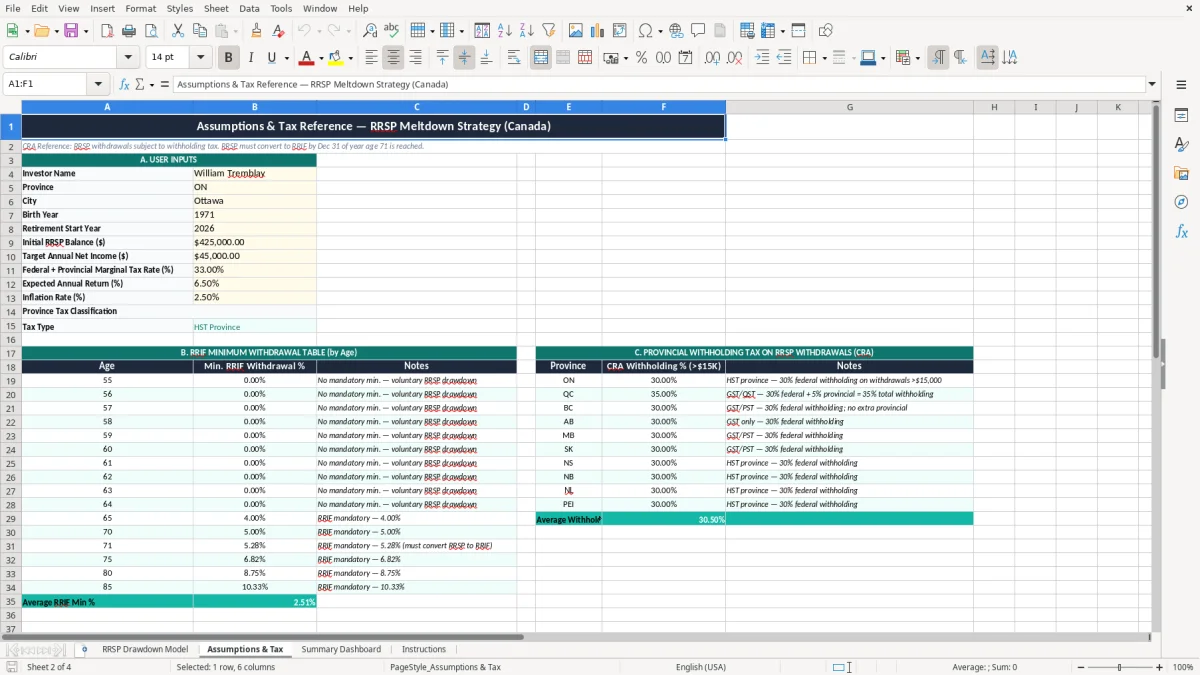
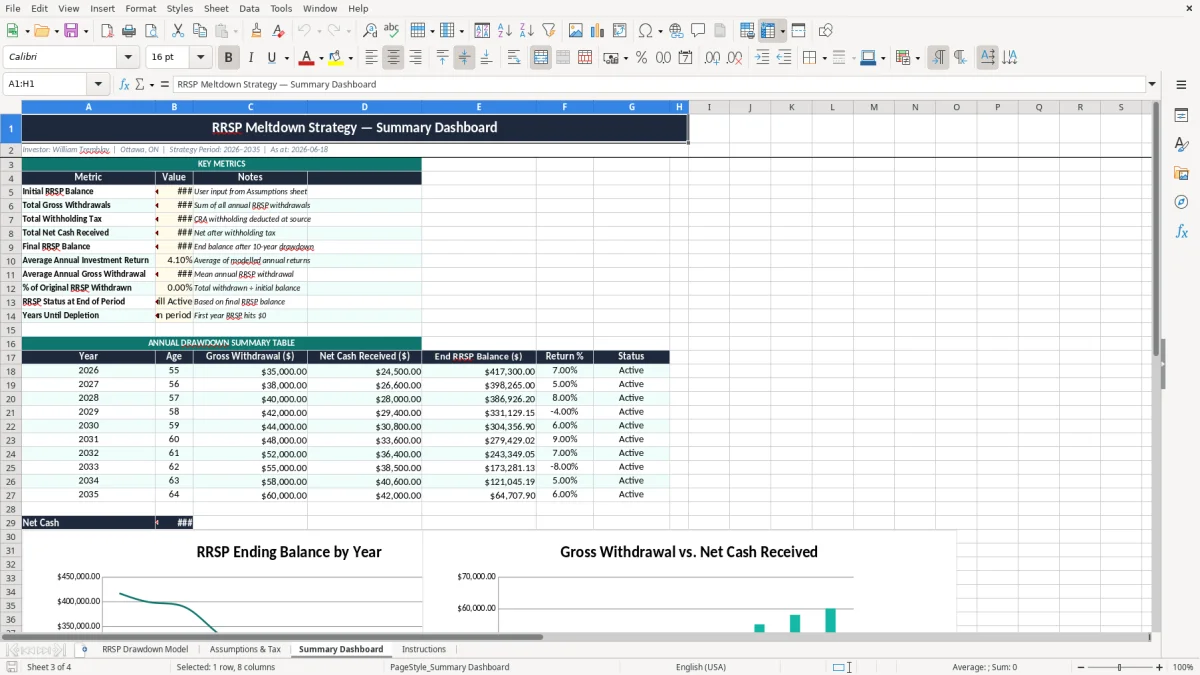
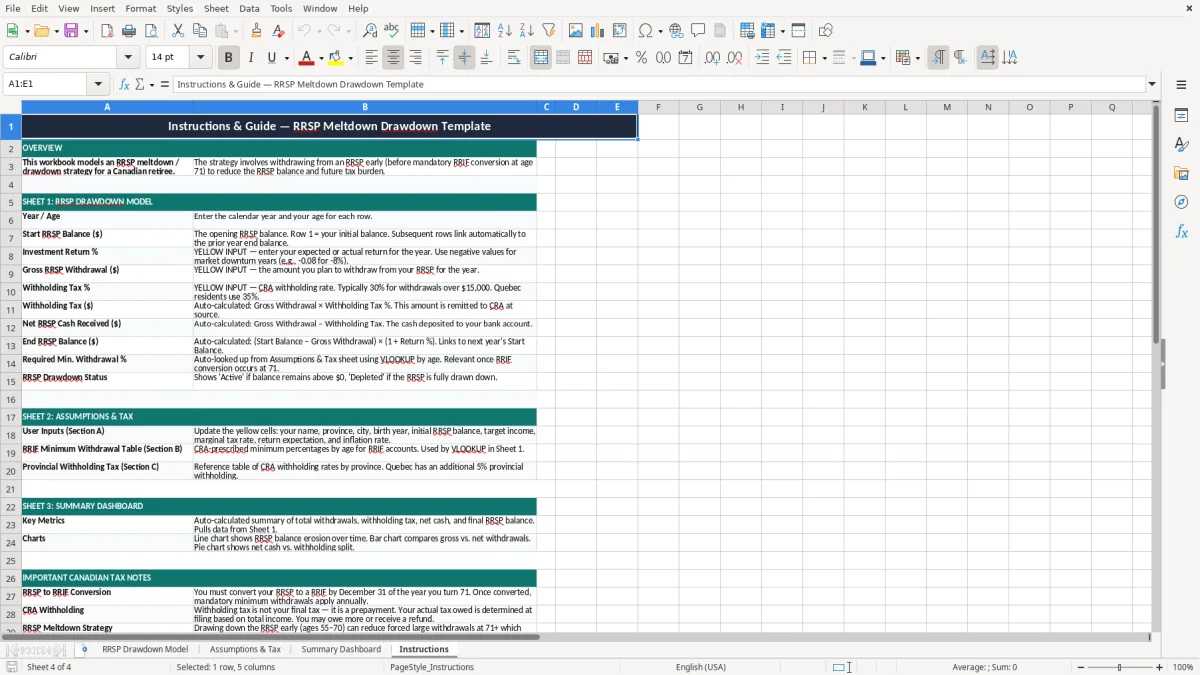
Image 2, the Summary Dashboard, gives you the quick view you need for that routine. Image 3, Assumptions & Tax, is where you change the return rate or withholding assumptions, and image 4, Instructions, tells you how to keep the process consistent.
If your plan now includes multiple accounts, pension income, and projected tax by province, this file has done its job. At that point, you need a broader retirement model, not a simple RRSP drawdown sheet.