
CNESST Remittance Excel – Free Template (2026)
0
Free download
Payroll register, PD7A summary, remittance checklist and reference tables for CPP, EI and income tax deductions.
Download template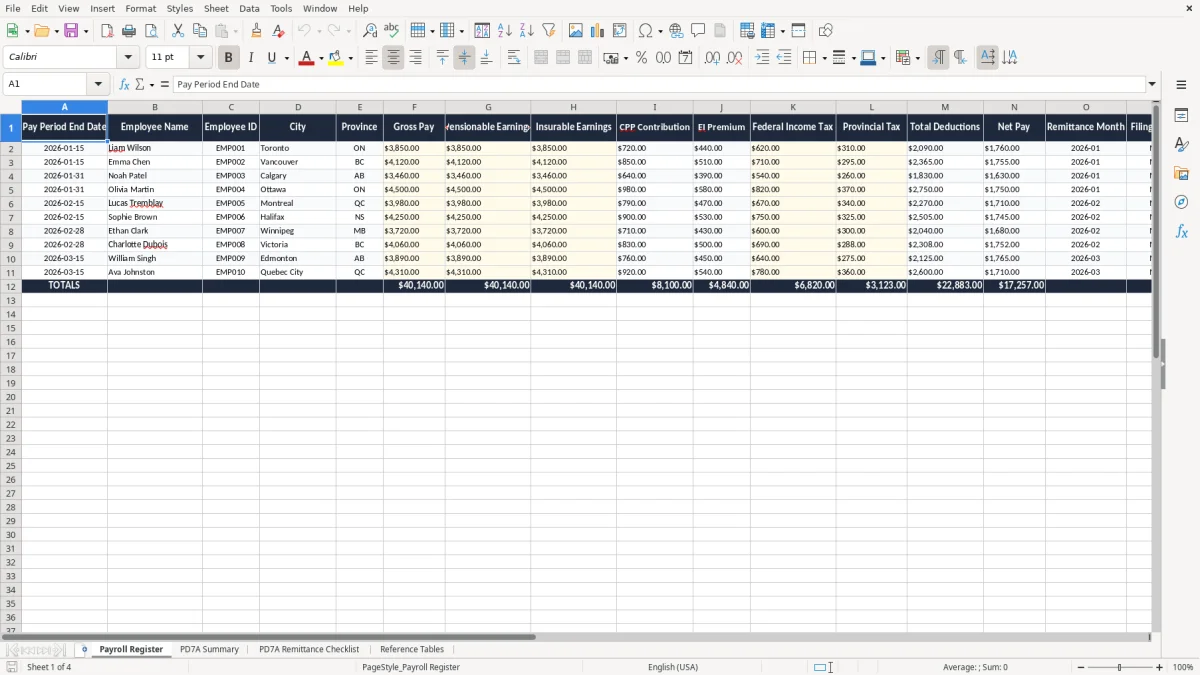
This payroll source deductions PD7A Excel template helps you track gross pay, CPP, EI, federal and provincial tax, then total the amounts for remittance. It includes a payroll register, a PD7A summary, a remittance checklist and reference tables.
You use it when you run payroll, prepare your CRA remittance, or reconcile deductions before month-end. The sheet layout is built for Canadian payroll records, so you can keep the numbers in one place instead of rebuilding the same totals every pay.
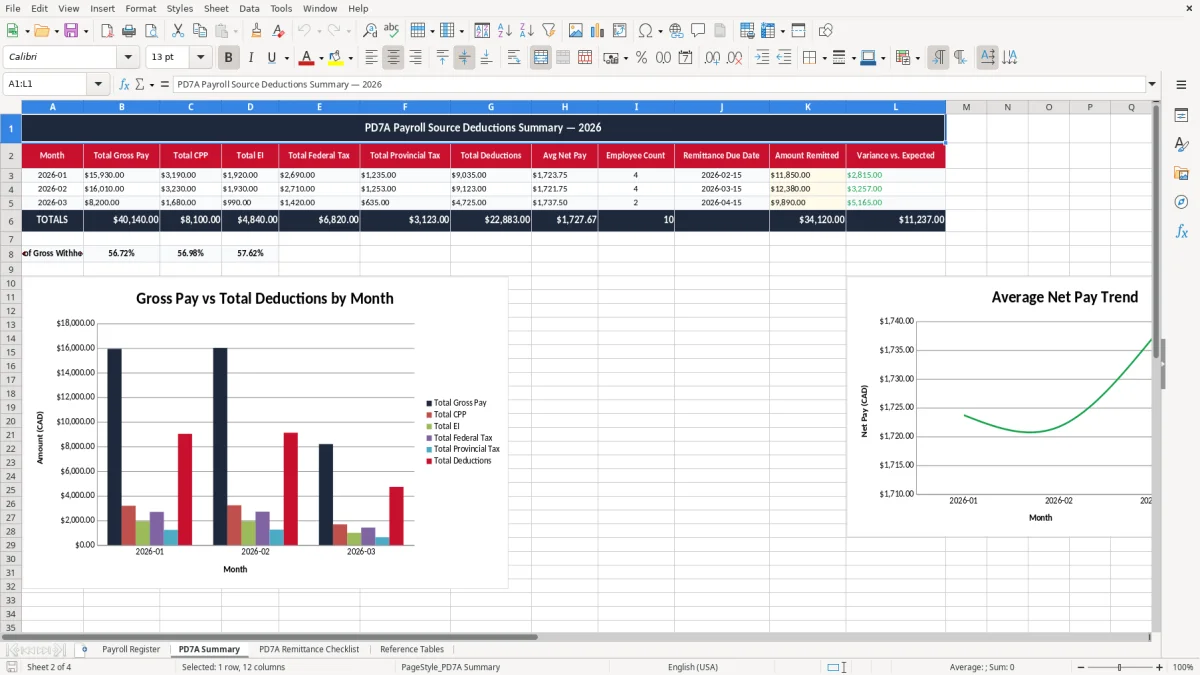
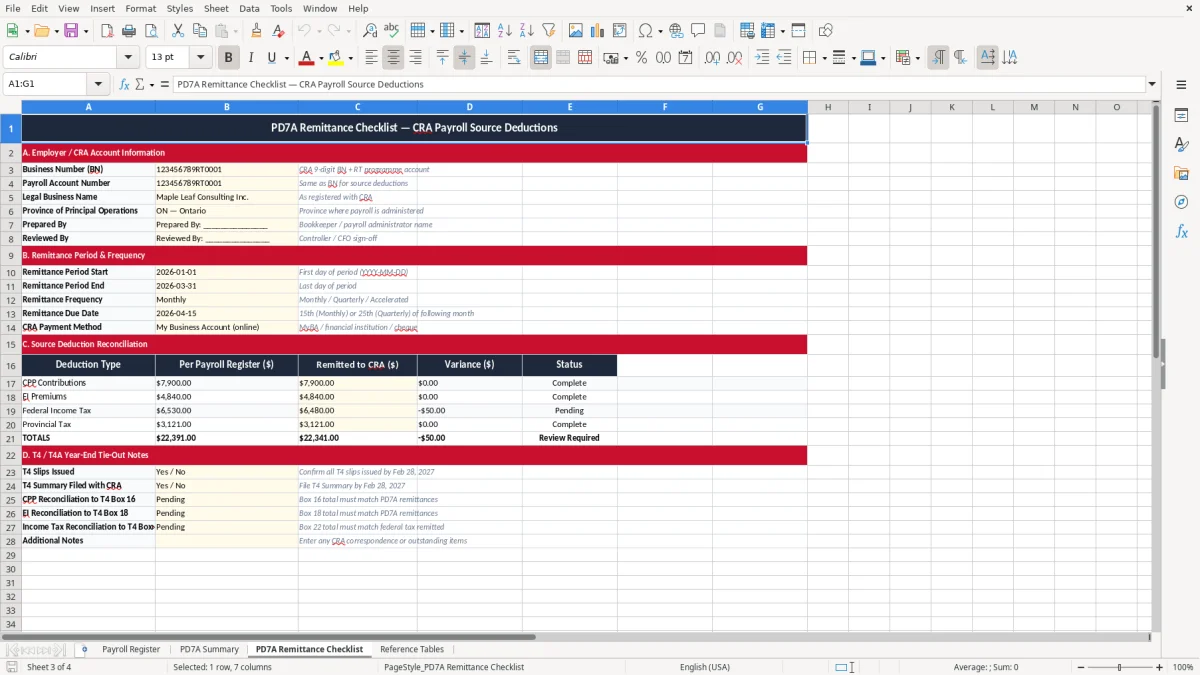
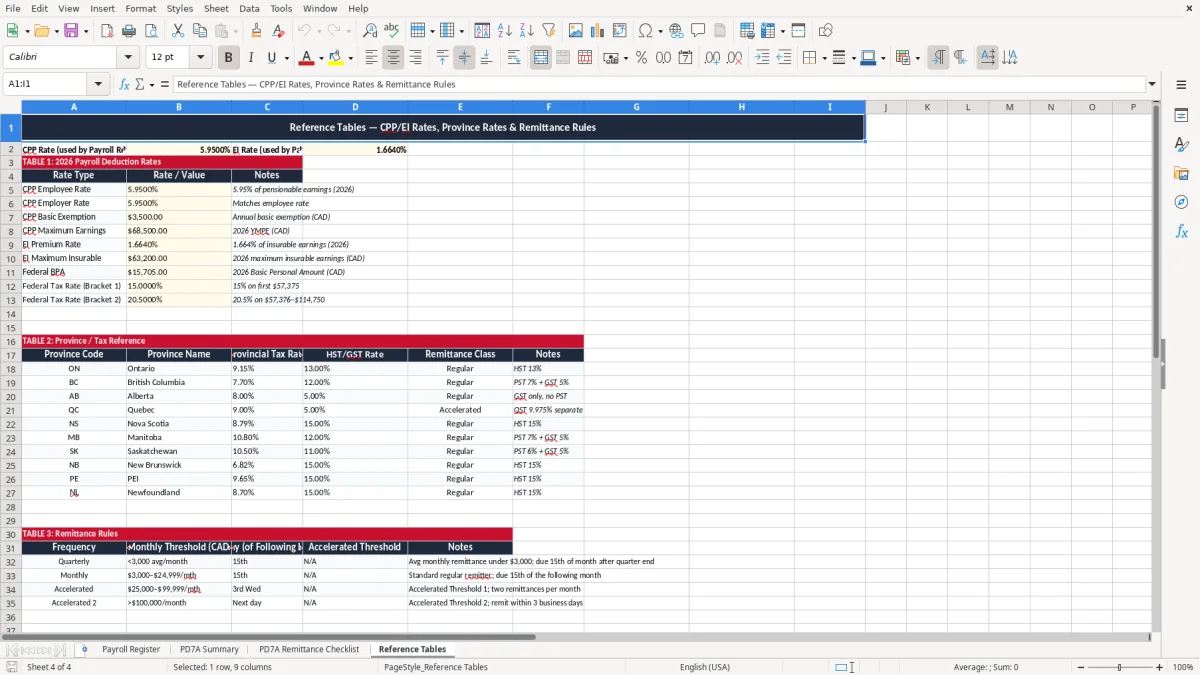
Image 1 shows the Payroll Register, with columns for each pay period, employee details, earnings and deductions. Image 2 shows the PD7A Summary, image 3 shows the checklist, and image 4 shows the reference tables.
If you run payroll for a small company, this template fits the moment when you have to turn gross wages into source deductions and then into a PD7A remittance. A trades company with 4 employees paid every two weeks can fill one line per person, then use the summary sheet to total the month before the payment leaves the bank.
A sole proprietor with the first employee often needs a simple register because payroll mistakes show up fast in cash flow. An incorporated shop with 12 staff uses the same structure to keep CPP, EI and income tax separated by pay period instead of buried in one bank withdrawal.
Image 1 shows the Payroll Register with columns for pay period end date, employee name, province, gross pay and deductions. If you pay 8 employees $1,800 each in a biweekly run, the register gives you a clean working total before you move to the PD7A Summary and the remittance checklist.
The CRA expects you to calculate and remit payroll source deductions on time, keep records for at least six years, and reconcile the figures to your remittance account. If you are registered for payroll, you use your business number with the RP program account; the payment itself is tied to the filing period, not to whatever is easiest in your bookkeeping file.
For 2026 payroll, you still deal with employee and employer CPP, employee and employer EI, and federal and provincial income tax. A remittance of $7,500 collected over a month should be traced back to the pay periods that created it, because a $300 difference can come from one missed termination pay or a tax column entered wrong.
The PD7A Summary sheet keeps the totals in one place so you can compare the register to the remittance amount before you file. That matters whether you remit monthly, quarterly or at another approved frequency, because the check is the same: wages in, deductions out, totals matched to the remittance.
The same reconciliation step carries through to Quebec reporting, where the RL-1 reconciliation sheet keeps the slips and remittance totals aligned before filing.
The expensive mistakes are usually boring ones: a province left blank, a deduction entered on the wrong row, or a net pay figure copied without the matching CPP and EI amounts. If one employee’s tax is short by $85 on a biweekly payroll, that error can repeat across 26 pay runs and become a real year-end cleanup.
Another common problem is mixing up pensionable earnings and gross pay. If an employee earns $2,400 but only $2,250 is pensionable after a taxable benefit adjustment, the wrong base will distort both the contribution and the remittance total.
When payroll is not tied to a checklist, you lose time chasing the source of a difference instead of processing the remittance. A bookkeeper can burn two hours matching one $126 variance, and a small employer can end up paying a late remittance penalty simply because the month was not closed properly.
The easiest way to keep this useful is to make it part of the same routine you already use for payroll or bank reconciliation. Open the register on every pay date, then move straight to the summary and checklist before you close the month.
If you are paying 30 or more employees, running multiple provinces, or handling complex benefits and garnishments, a payroll system becomes the better choice. For a small team with predictable pay, this template is enough to keep source deductions organized without adding software overhead.