
CNESST Remittance Excel – Free Template (2026)
0
Free download
Track ROE insurable hours, pay periods, earnings, and reason codes for Canadian payroll records.
Download template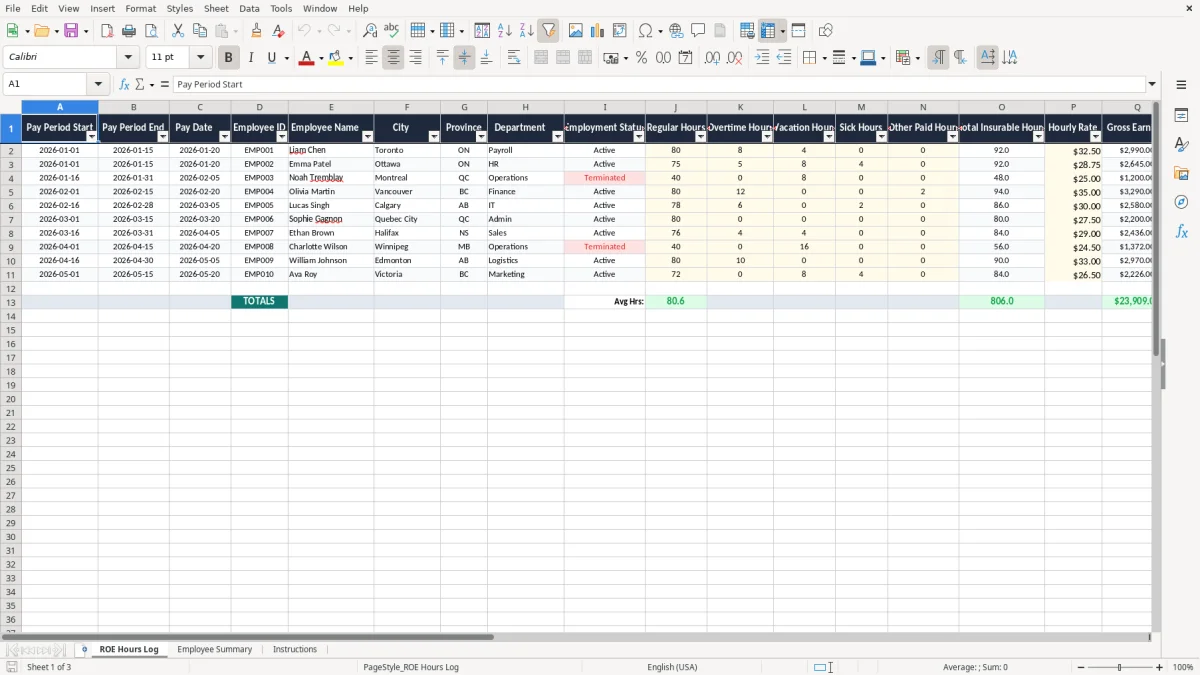
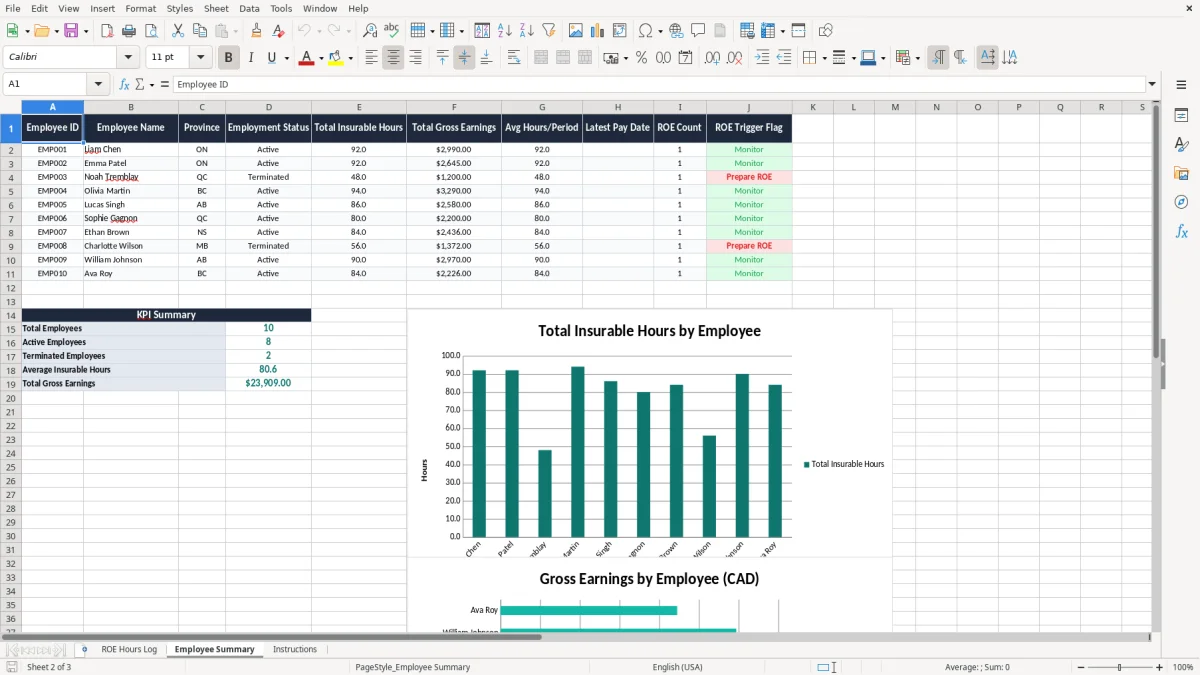
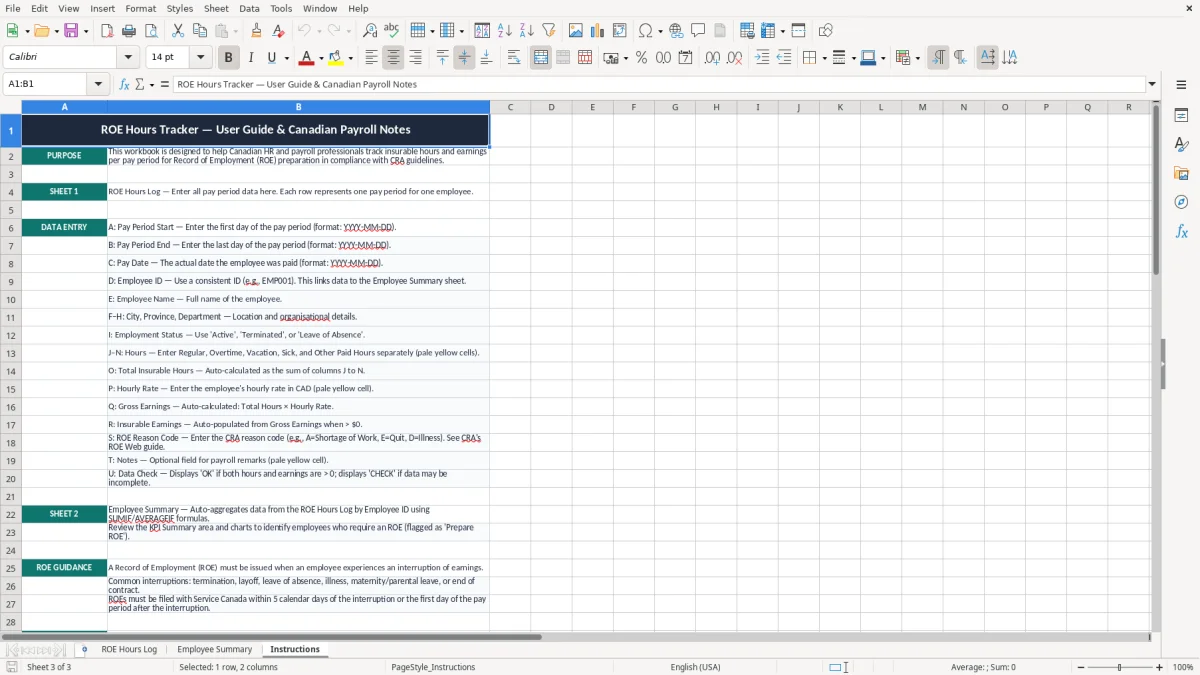
This Record of Employment template is an Excel spreadsheet for tracking insurable hours, pay periods, earnings, and ROE reason codes in one place. It includes the ROE Hours Log, an Employee Summary, and an Instructions sheet so you can keep payroll records tidy and ready for Service Canada requests.
Use it when an employee leaves, takes a break in service, or when you need a clean hours record for payroll review. The log is laid out for Canadian payroll work, with fields for province, status, overtime, vacation, sick time, and a data check column to catch gaps before they become a problem.
The people who need this file are usually the ones who get the call right before a deadline. That can be a sole proprietor with 4 staff, a payroll clerk in a 25-person shop, or an office manager who has to pull hours after a layoff, resignation, or seasonal shutdown.
You usually reach for it when an employee stops working and you need a clean record of insurable hours and paid time. If one employee had 80 regular hours, 8 overtime hours, and 4 vacation hours in a two-week period, that is the kind of detail that belongs in the log before you create the ROE.
The ROE Hours Log sheet gives you a single place to track province, employment status, and ROE reason code alongside the numbers. The Employee Summary sheet helps you compare a worker who averaged 72 hours per pay period against another who hit 160 hours in the month, which is exactly the kind of difference you need to see before payroll questions start.
For most employers, the practical rule is simple: keep payroll records long enough to prove what you reported, and organize them so they can be produced quickly. The CRA expects business records to be kept for six years after the end of the last tax year they relate to, and that is the right record-retention standard to apply to hours, pay details, and supporting notes.
An ROE is not just a form; it is supported by the pay records behind it. If an employee earned $1,840.00 gross in a period but only $1,795.00 counts as insurable earnings, you need a workbook that shows the difference clearly instead of forcing you to reconstruct it from memory.
The safest practice is to keep the pay period dates, pay date, hours by type, earnings, and a reason code in the same file. That way, when you have 12 employees on alternating two-week cycles, you can still trace a single ROE back to the exact payroll run without hunting through separate files or old emails.
The most common mistake is mixing up paid hours with insurable hours. A payroll file that shows 80 worked hours but forgets 8 hours of vacation pay can leave you with an ROE that understates the employee’s paid time and creates a correction later.
If you have 15 employees and you correct even 2 ROEs after the fact, you can burn half a day just matching pay dates, hours, and totals. A second problem is inconsistent naming or missing employee IDs, which makes it harder to prove that the 2026-01-01 to 2026-01-15 period belongs to the right person when you are under pressure.
Another failure point is the notes column being left blank. When an employee has sick hours, overtime, or other paid hours in a short pay period, a short note such as includes sick day is often enough to save you from re-checking old timesheets and supervisor emails later.
The easiest way to keep this workbook alive is to tie it to something you already do every pay cycle. For example, update the ROE Hours Log right after payroll is approved, not at month-end when the details are already fading.
If you are handling payroll for 50+ employees, multiple provinces, or frequent status changes, you may outgrow Excel and need payroll software that links directly to source deductions and ROE preparation. Until then, a disciplined workbook is a practical way to keep hours, notes, and summary totals in one place.