
Provincial Tax Excel Template – Free (2026)
6
Free download
Track CCA classes, UCC, additions, disposals, and year-end claims for Canadian tax filing in 2026.
Download template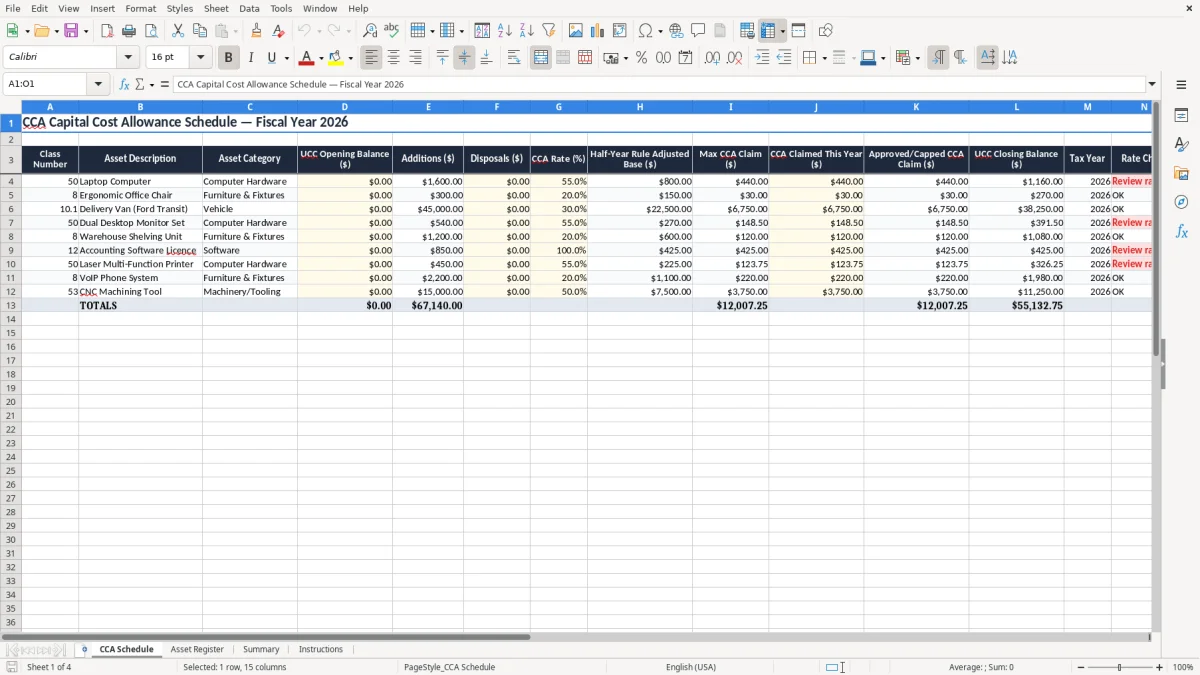
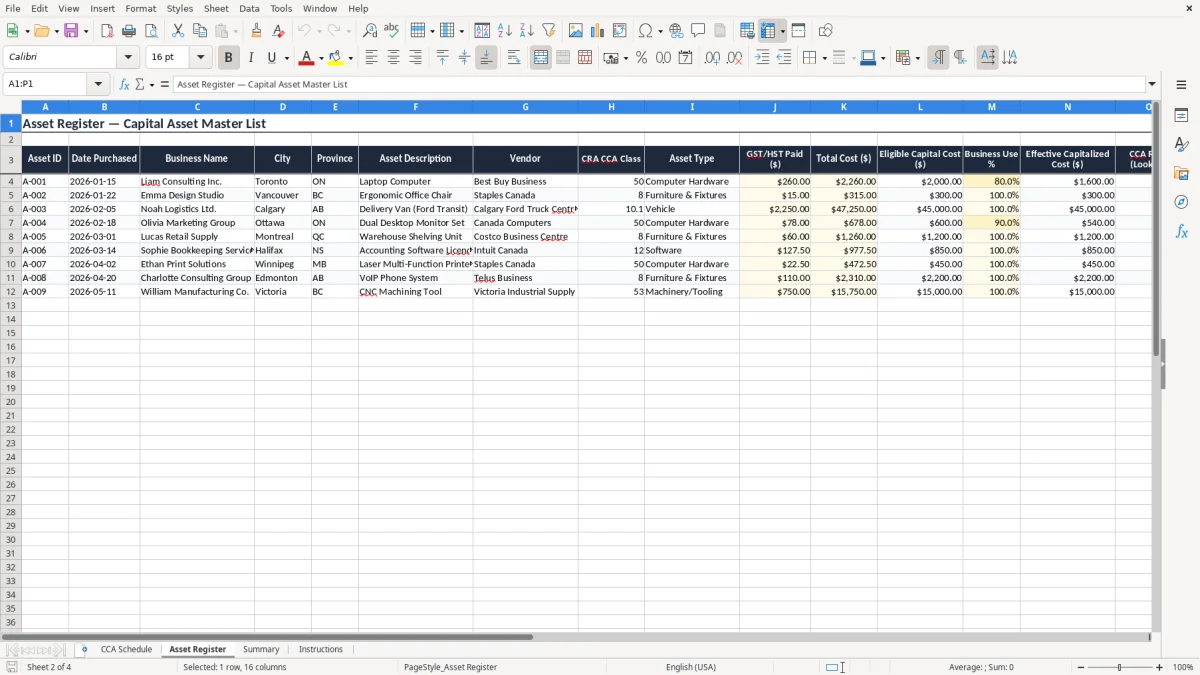
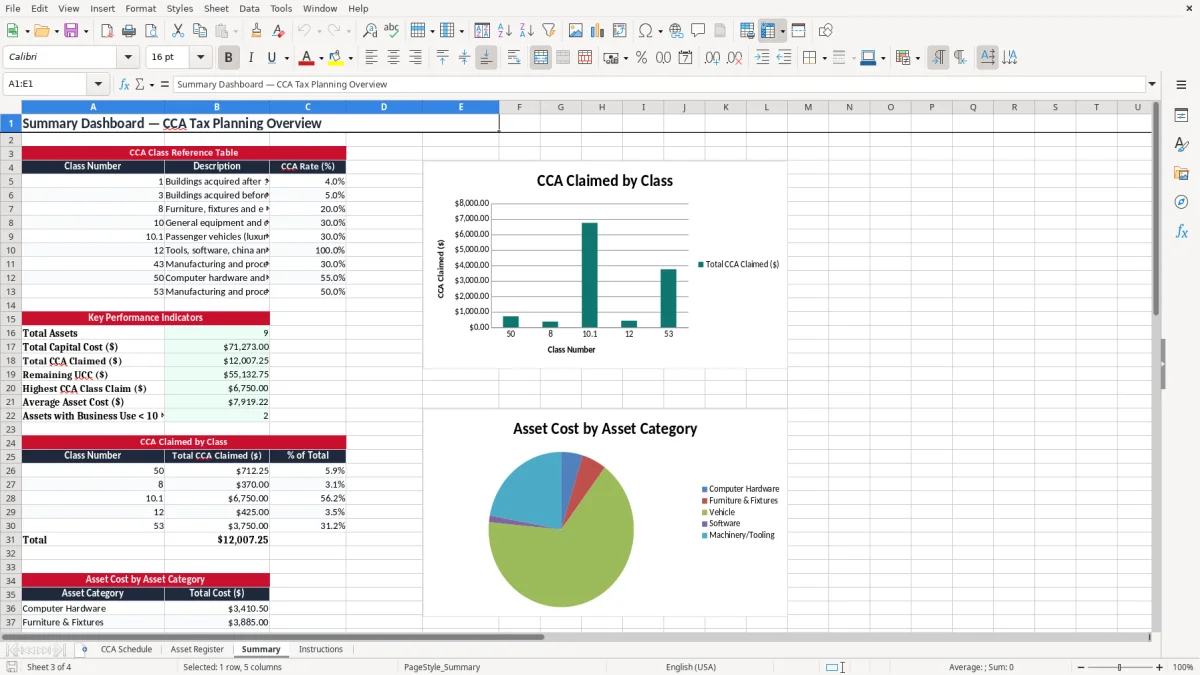
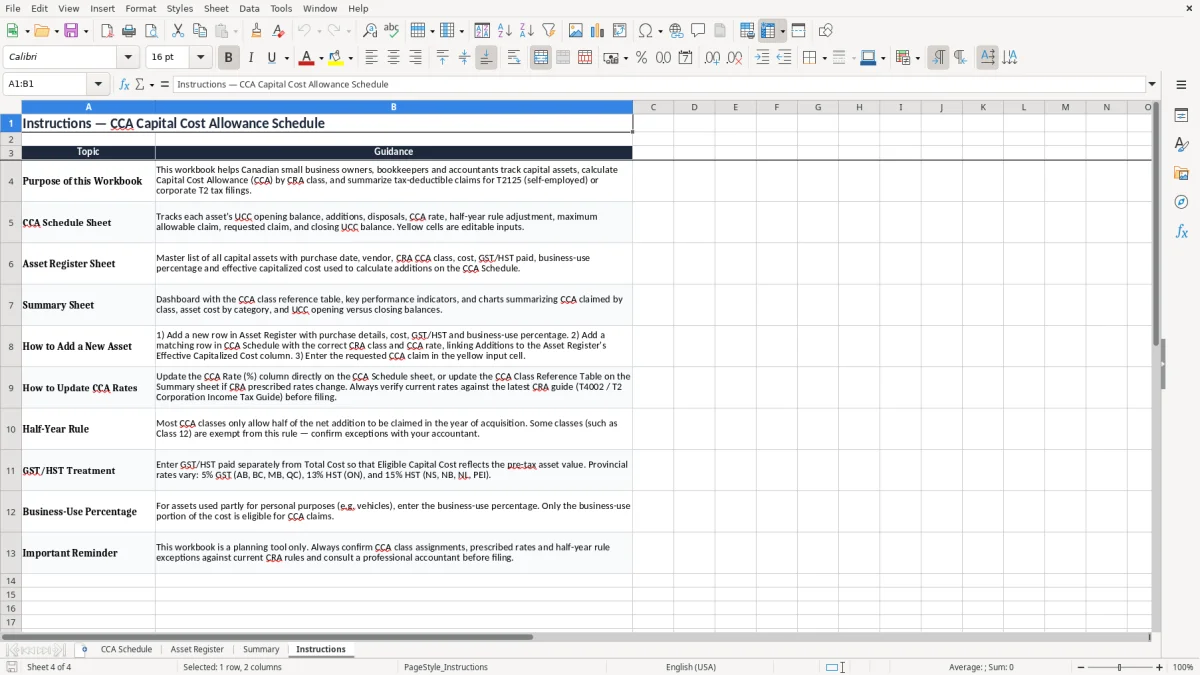
This CCA Excel template helps you calculate capital cost allowance, track UCC, and see the claim for each asset in one place. It includes a CCA Schedule, Asset Register, Summary, and Instructions sheet for Canadian tax reporting in 2026.
Use it to organize depreciable assets by class, apply the half-year rule, and keep the numbers ready for your year-end return. It is built for a sole proprietor, a small incorporated business, or a bookkeeper who needs clean records without a separate accounting system.
The workbook is set up for practical filing work: class number, asset description, additions, disposals, rate check, and approved CCA claim all sit together so you can review the result before you post it to your books.
You use this file when you are preparing a T2125, a corporate T2, or a year-end working paper for fixed assets. A sole proprietor with a $6,500 laptop, a $14,000 vehicle, and office furniture for a small shop needs one place to see the claim before the return goes out.
A bookkeeper at an incorporated company uses it during month-end and again at year-end. An office manager at a plumbing company may enter a $3,200 compressor in July, then check the December claim so the balance sheet and tax file agree.
If you buy four computers at $1,250 each, you are dealing with $5,000 of additions right away. If one asset is sold for $500 and another is still in service, the schedule lets you isolate the disposal instead of burying it in the general ledger.
Loose receipts and a spreadsheet of serial numbers do not tell you the UCC at the end of the year. This format gives you the class, the base, the claim, and the closing balance in one file, which is the level of detail you need when you are explaining a claim to the CRA or reconciling the books.
The CRA expects you to keep records long enough to support each claim, and the practical standard is six years. That means you need purchase documents, disposal support, and the schedule that shows how you got from opening UCC to closing UCC.
In 2026, a laptop normally falls into Class 50 at 55%, while general office furniture is often in Class 8 at 20%. If you put a $2,400 laptop in the wrong class, the first-year claim changes immediately because the rate and half-year treatment are different.
Suppose you buy $10,000 of eligible assets in the year and the class rate is 20%. The half-year rule only gives you a $1,000 first-year base before any further limits, not the full $2,000 you may have expected from a straight 20% calculation.
If your schedule says $18,750 of closing UCC but your tax working papers show $19,400, you have a record problem before you have a filing problem. The cleanest practice is to keep the schedule aligned with the T2 or T2125 so the claim can be traced line by line.
That same line-by-line trail is essential on a business expense schedule, where every deductible item has to reconcile back to the return.
The most common mistake is claiming CCA on an asset that belongs in the wrong class or should not be claimed yet. A $1,800 phone system entered as office supplies instead of a depreciable asset can distort both the current claim and the closing UCC.
If you overclaim by $600 in one year and repeat the error for three years, you are $1,800 off before interest or reassessment costs. That kind of error also creates extra bookkeeping time because you have to reopen prior-year schedules and restate the balances.
When an old asset is sold or scrapped, the proceeds must be recorded against the class. For example, if you sell a printer for $300 and forget the disposal, the class balance stays too high and the next claim is wrong.
A schedule with 25 assets and only 2 mistakes can still take an hour to untangle if you discover the problem during filing week. Checking the totals against the fixed asset subledger and the bank or invoices before year-end is faster than rebuilding the file after the fact.
The file works best when you update it on a fixed schedule, not when you remember it at tax time. Most small businesses do the job once a month during bookkeeping or once a quarter before the GST/HST and management reporting cycle.
If you are handling 200+ assets, several locations, or frequent partial disposals, a standalone fixed asset system may save time. For a small business with 10 to 50 assets, though, this Excel file is usually faster and easier to control than moving to software too early.
At that point, the month-end workflow often shifts to a sales tax return alongside the asset register, especially when you need one more reconciliation before locking the books.