
Canadian Condo Reserve Fund Excel Template
17
Free download
Organize Canadian curling bonspiels with an Excel template for team registration, payments, draw schedules, scores, and standings.
Download template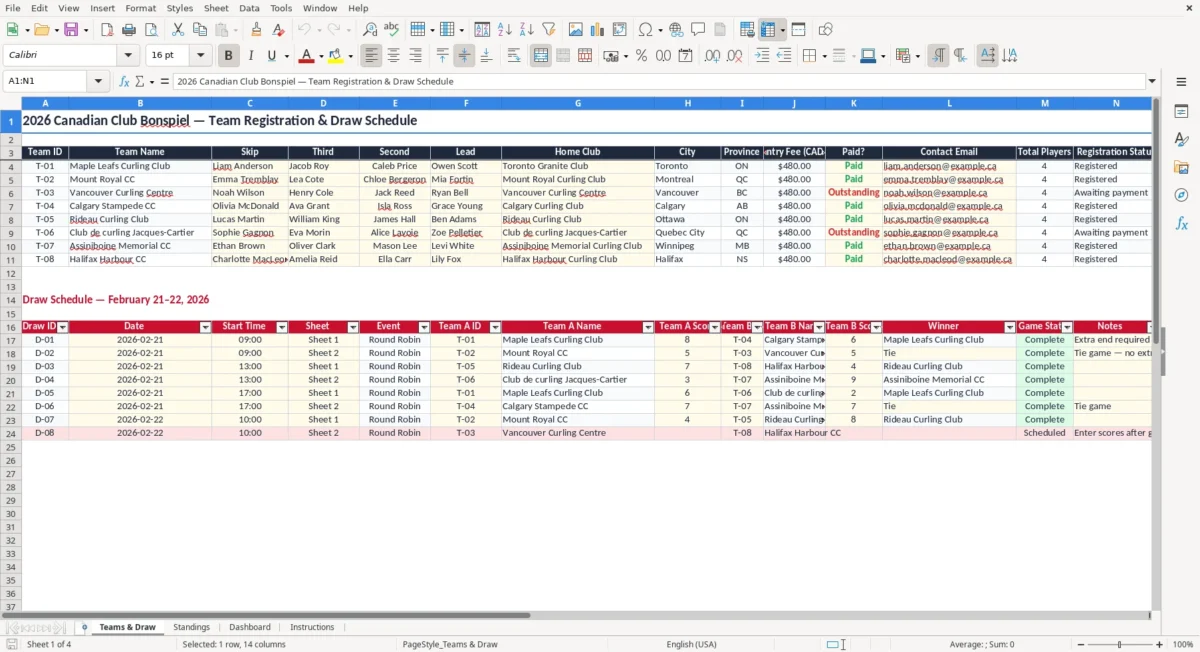
Organize your next Canadian curling club bonspiel with a practical Excel template for team registration, draw scheduling, payment tracking, scores, and event administration. The workbook provides one organized place to record team names, player positions, home clubs, cities, provinces, entry fees, payment status, and contact emails. It also helps coordinators assign draw numbers, dates, times, ice sheets, events, and matchups.
Whether you are planning a small club bonspiel or a larger invitational tournament, this template can reduce repetitive work and make information easier for volunteers, officials, and participating teams to find. It is suitable for open, mixed, senior, junior, charity, and club events throughout Canada.
Begin by entering each registered team on the Teams & Draw sheet. Add a team ID, team name, skip, third, second, lead, home club, city, province, entry fee, payment status, and contact email. Review the roster and registration information before publishing the draw, and use the payment field to follow up with teams whose fees remain outstanding.
Next, create the schedule by assigning draw numbers, dates, start times, ice sheets, events, and opposing teams. Match the schedule to the number of available sheets and the format selected by the event committee. After each game, enter the final scores and update the game status so the workbook reflects current progress.
Check formulas, filters, formatting, and print areas if you add rows or create additional event sections. Before distributing the final schedule, verify team names, player positions, contact details, payment records, draw times, sheet assignments, and rules. Save a backup copy before making major changes, and consider maintaining a read-only version for public posting while keeping an editable version for organizers.
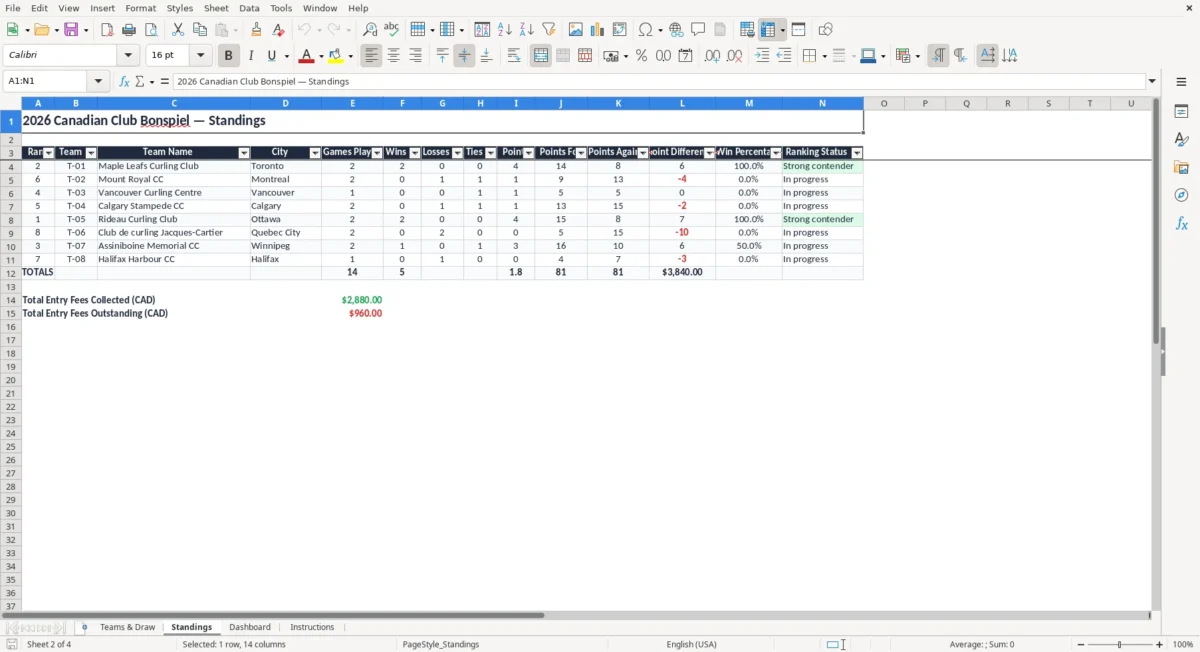
A well-organized bonspiel depends on accurate registration information and a draw that teams can understand quickly. This Canadian curling club bonspiel draw Excel template gives event committees a structured starting point for both tasks. Instead of keeping roster details in emails, payment notes in separate documents, and game assignments on handwritten sheets, organizers can bring the essential information into one workbook.
The registration area is designed for four-player teams, with spaces for the skip, third, second, and lead. It also records the home curling club, city, province, entry fee in Canadian dollars, payment status, and contact email. That layout is useful when teams travel from different regions and volunteers need to confirm who is attending, where each team is based, and whether its registration is complete.
The workbook can support events hosted by community clubs, university clubs, regional associations, or private organizing committees. Add the bonspiel name, year, host club, venue, registration deadline, and event dates to make the file specific to your tournament. You can also adapt the information for open, mixed, senior, junior, charity, or invitational formats.
Before finalizing the schedule, confirm the number of registered teams, available sheets, planned draws, and event rules. A reliable registration list makes it easier to prepare the draw, answer team questions, coordinate volunteers, and distribute accurate information. The template is not a replacement for your club's official rules or governing-body requirements, but it provides a practical administrative foundation for running a smooth Canadian curling event.
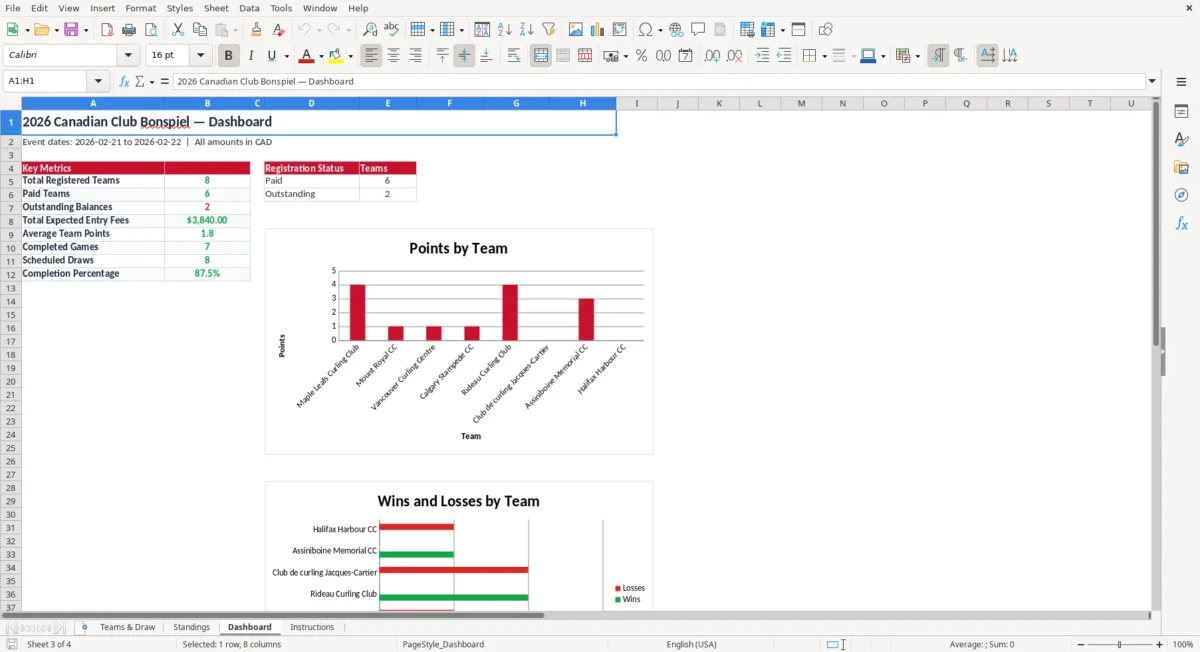
The draw schedule is often the most frequently viewed part of a curling bonspiel workbook. Teams need to know when they play, which sheet they use, who they face, and which event or pool applies to their game. Volunteers need the same information to prepare ice, direct teams, manage score reporting, and answer questions at the club.
This Excel template helps organize those details in a consistent format. Use the draw number field to identify each round, then add the date, scheduled start time, sheet assignment, event section, and matchup. If your bonspiel includes an A event, B event, C event, championship round, or consolation round, use the event field to distinguish those sections.
For round-robin competitions, list the scheduled opponents for each draw. For elimination formats, update the next matchups as teams advance. A clear schedule can also be printed for the clubhouse, shared with volunteers, or adapted into a team information sheet.
Before releasing it, check for duplicate sheet assignments, overlapping times, missing teams, and conflicts caused by limited ice availability. Consider allowing enough time between games for stones, equipment, score reporting, and team movement. If teams are travelling from outside the host city, include practical arrival information in a separate notes area or event tab.
The template is flexible enough for a single-day event, a weekend bonspiel, or a multi-day tournament. Good scheduling reduces confusion and helps the event committee keep games moving while giving participating teams a dependable reference throughout the competition.
Registration and payment administration can take significant time when a bonspiel is managed by volunteers. A dedicated Excel worksheet makes it easier to see which teams have supplied complete information and which registrations need follow-up. Enter the entry fee in Canadian dollars for every team, then use the payment status field to mark registrations as paid or outstanding.
This gives the treasurer or registration coordinator a simple list for reconciliation and reminders. The workbook also includes contact email information, which can support confirmations, schedule notices, rule updates, meal information, and last-minute changes. Team fields for the skip, third, second, and lead help organizers prepare accurate programs, labels, draw sheets, and announcements.
Home club, city, and province details are useful for recognizing travelling teams and organizing regional summaries. When a replacement player or roster change is approved, update the workbook promptly and keep a dated backup of the earlier version. It is also helpful to establish one person responsible for editing the master file so different versions do not circulate among volunteers.
Use filters or sorting to review unpaid entries, group teams by province, find a particular club, or prepare a contact list. If the event charges different fees for categories, add a fee type or notes column while preserving the main entry-fee field.
Remember that contact information should be handled responsibly and shared only with people who need it for event administration. Accurate registration data improves communication, supports financial follow-up, and gives the draw coordinator dependable information before the first rock is delivered.
Those same records also provide the basic participant data needed to keep a grant tracking log organized when club reimbursements or family funding must be documented later.
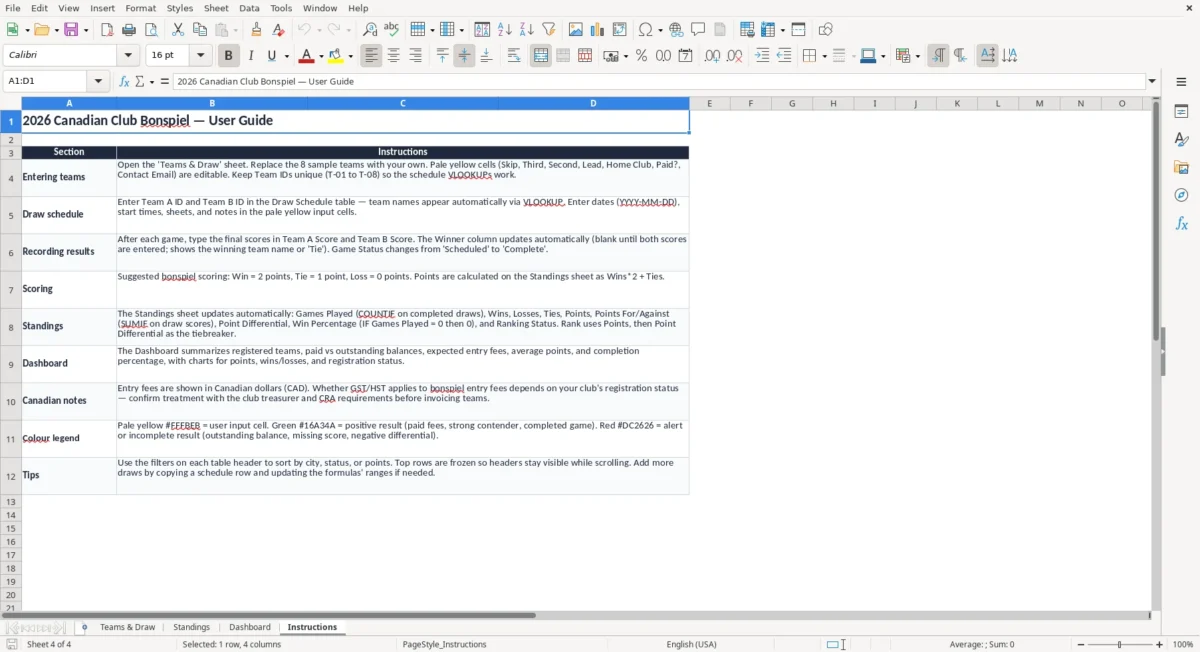
A reusable bonspiel workbook can save time from season to season. Once the current event is complete, save a clean copy as a master template and remove participant-specific information before using it for another tournament. The same structure can be adapted for club championships, holiday bonspiels, fundraising events, mixed doubles activities, seniors competitions, junior events, or regional invitational tournaments.
Add club branding, sponsor names, event contacts, prize details, meal selections, volunteer assignments, or parking information if those items are important to your committee. You can create additional tabs for rules, ice maintenance, hospitality, invoices, prizes, emergency contacts, or volunteer shifts. If your event uses standings, add columns for wins, losses, ties, points, ends won, or score differential according to the rules approved by the organizing committee.
For a multiple-event weekend, duplicate the draw structure and label each section clearly. If more teams or draws are added, extend the formulas, formatting, data validation, filters, and print areas so new rows behave consistently with the original workbook. Review the final file on the computer and in print preview before sharing it.
Make sure column headings are visible, long team names are readable, dates and times are correct, and no private notes appear on a public copy. Keep an editable organizer version and create a separate read-only version for distribution. A dependable template does not decide the tournament format for you; it gives your club a flexible framework for applying its own schedule, rules, scoring approach, and communication process.
That framework is usually paired with a tournament budget sheet so the schedule, ice rentals, officials, and other costs stay aligned with the same event plan.