
Provincial Tax Excel Template – Free (2026)
6
Free download
Track T2200 employment expenses, mileage, home office and totals for your Canadian tax records.
Download template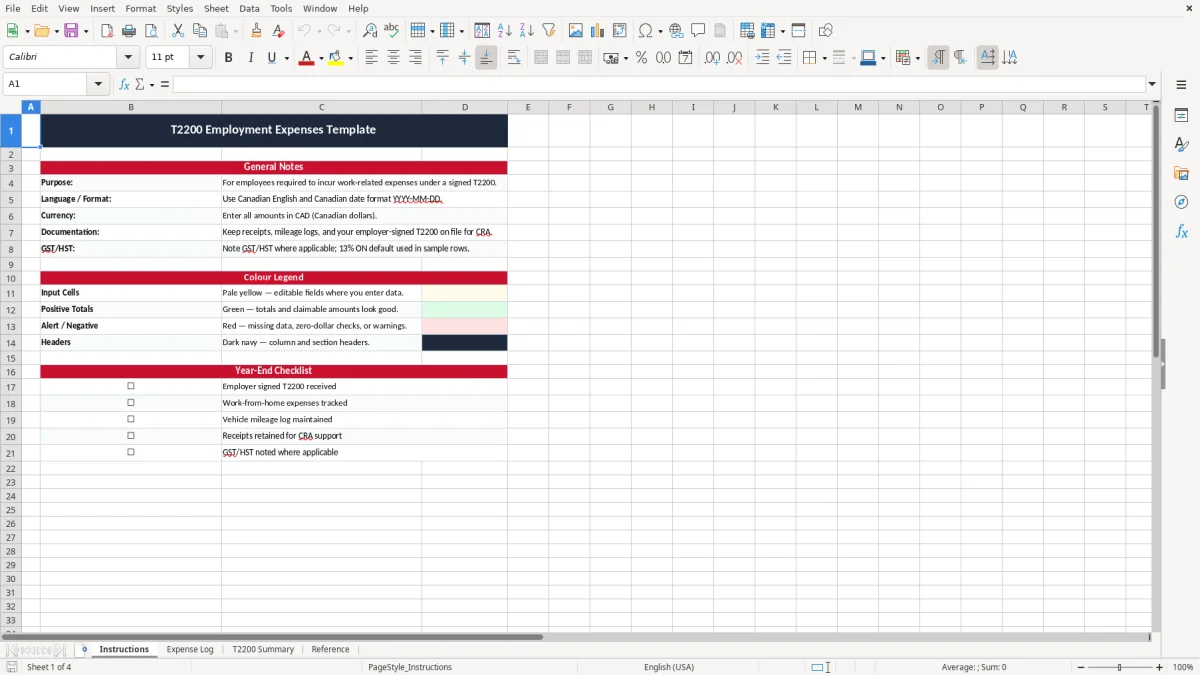
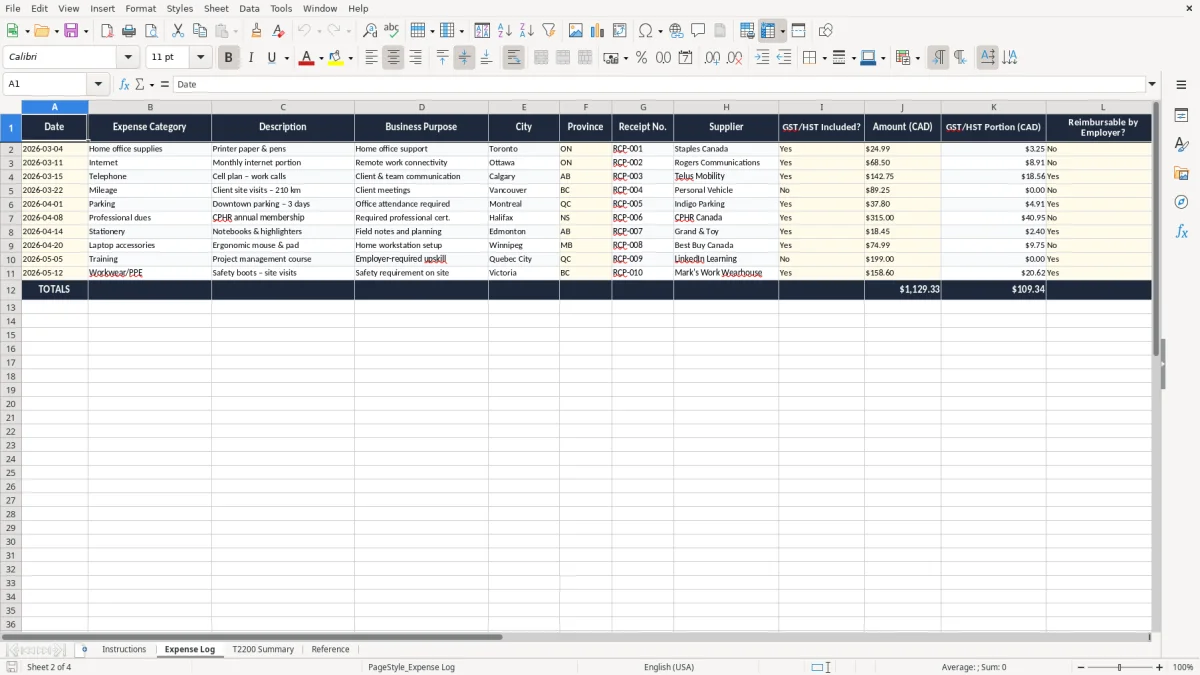
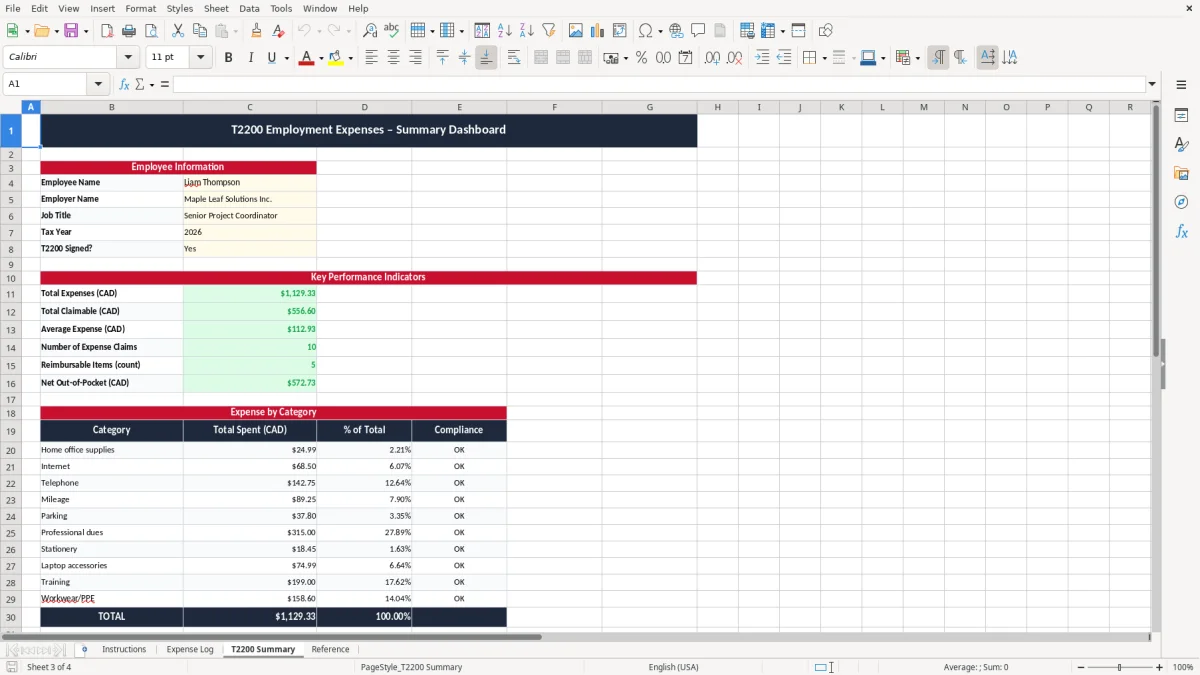
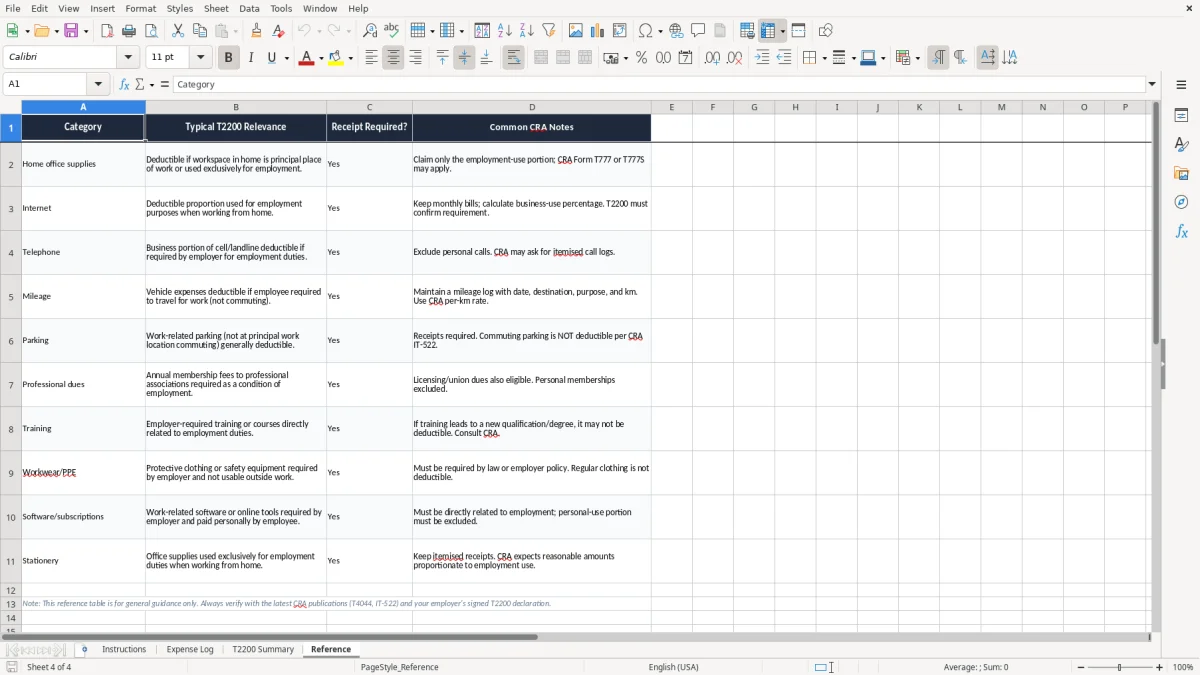
This T2200 employment expenses Excel template helps you track deductible employee costs for your Canadian tax records and your employer’s T2200 form. It includes four sheets: Instructions, Expense Log, T2200 Summary, and Reference.
You use it when you pay for expenses out of pocket for work, such as home office costs, supplies, mileage, or other eligible employee expenses. The workbook keeps the claims organized so you can total them cleanly at year-end and back them up if the CRA asks for support.
The layout is practical: one sheet for entries, one sheet that rolls the numbers into a summary, and one sheet with reference notes. The SUM formulas do the arithmetic for you, so you spend less time checking totals and more time checking whether the expense is actually eligible.
This workbook is for employees who pay work expenses themselves and need clean totals for their income tax file. A common case is a salaried worker who drives 1,200 kilometres a month for client visits, or a remote employee claiming part of home internet and desk space after a full tax year.
Bookkeepers also use it when an incorporated business has staff with signed employer forms and year-end support paperwork. If you are gathering numbers for one employee with $2,400 of mileage, $680 of supplies, and $1,100 of home office costs, a spreadsheet is faster than sorting receipts at the last minute.
The template suits the person who enters the expense, the manager who signs the employer form, and the bookkeeper who checks the totals. If you are dealing with 4 employees each carrying different work costs, the log keeps each person separate instead of mixing everything into one folder.
You usually start using it when the spending begins, not in March. By the time you are preparing your return, the workbook already has the dates, categories, and amounts in order, which makes the T2200 package much easier to complete.
The same year-end discipline carries into a GST/HST remittance schedule, where recorded amounts are already sorted when it is time to prepare the filing.
The CRA expects you to keep supporting records long enough to back up the claim, and the practical standard is six years after the end of the tax year. That means if you claim $3,150 of eligible employee expenses for 2026, you keep the workbook, receipts, and related notes well beyond filing season.
This is not a casual list of spending. If your employer has signed a T2200, your records still need to show the amount, the purpose, and the link to employment duties, especially for mileage, home office expenses, and supplies.
For employee expenses, exact totals beat memory every time. A mileage claim of 850 kilometres at a documented per-kilometre rate, plus $420 in office supplies and $95 in phone charges, is defensible; a handwritten guess is not.
Keep the expense date, vendor, amount, and a short explanation for each item. If the claim is being used with a T2200 and your tax return, the paper trail should let someone follow the line from receipt to summary without guessing.
The expensive mistake is mixing personal and work costs. A phone plan that is 50% personal and 50% work cannot be claimed as 100% work, and a $1,200 annual charge becomes a $600 claim when the work use is only half.
Another common problem is missing backup for mileage or home office items. If you claim 2,000 kilometres for work but have no travel log, the entire amount can be questioned, which means wasted time and possibly a reassessment.
When people re-enter receipts from memory, they often double count or skip items. I have seen a $780 supply claim turn into $1,280 because the same receipts were entered twice in separate months, and that kind of error is easy to catch only after the return is already filed.
Missing dates, vague descriptions, and lump-sum guesses are what turn a simple claim into a cleanup job. If you wait until year-end to reconstruct 10 months of spending, expect several hours of sorting for a file that should have taken minutes each week.
Those gaps are exactly why a business expense tracker is worth keeping current throughout the year.
The easiest way to keep this workbook useful is to tie it to a fixed habit, such as every Friday afternoon or the first payroll run of the month. If you enter 8 to 10 receipts each week, the file stays current and the year-end total is already close to finished.
If you are tracking several employees, multiple vehicles, or a large volume of monthly expenses, a simple workbook may become slow to manage. At that point, a dedicated expense system or accounting software may be easier than forcing one file to do everything.
For most individual claims, though, this template is the right size. It is simple enough to use weekly, and structured enough to survive the year-end review without a scramble.