
Maternity Top-Up Excel Template – Free (2026)
2
Free download
Track Canadian DTC applications, Form T2201 milestones, CRA decisions, approved tax years and renewal dates in one privacy-conscious workbook.
Download template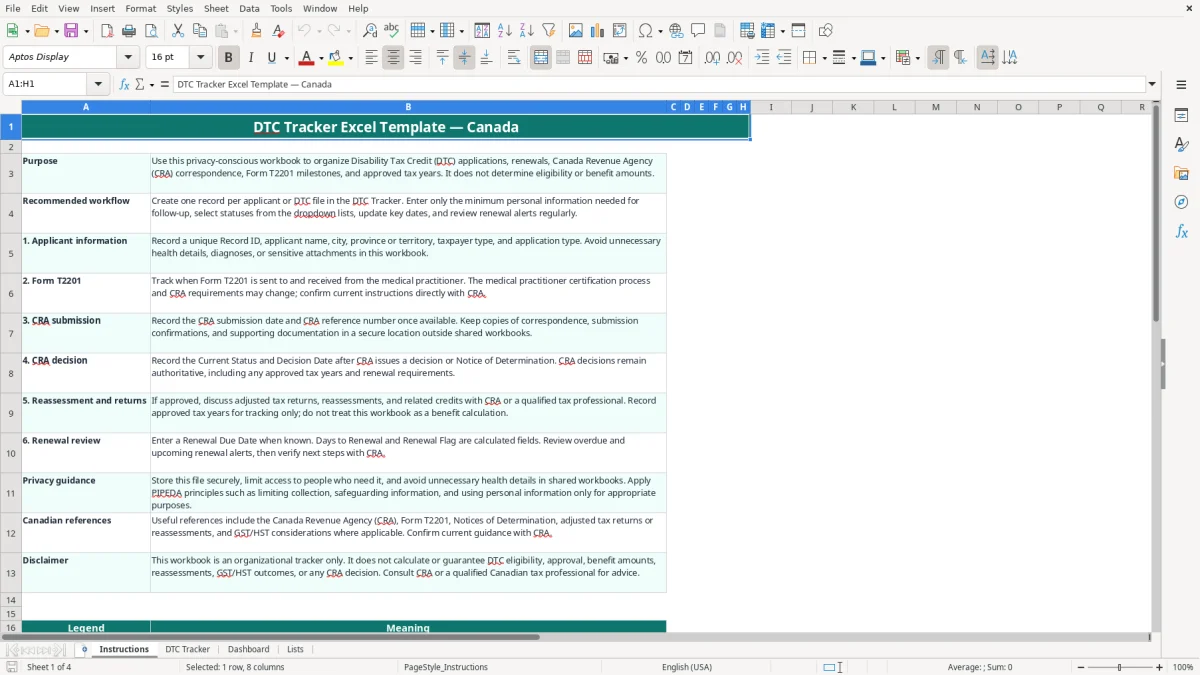
This Disability Tax Credit (DTC) tracker organizes Canadian applications, Form T2201 milestones, CRA submissions, decisions, approved tax years and renewal dates. It contains a DTC Tracker for up to 100 records, calculated renewal alerts, a Dashboard and supporting Lists sheet.
Use one record for each applicant or file, whether you are an individual, parent or guardian, representative, bookkeeper or non-profit administrator. The workbook is an organizational tool only: CRA decisions, eligibility, reassessments and benefit amounts remain authoritative.
A DTC tracker is useful when several administrative steps are spread across medical offices, CRA correspondence and tax files. An individual may track a personal application, while a parent or guardian may manage a child's file; a representative or bookkeeper may coordinate several applicants without recording clinical details.
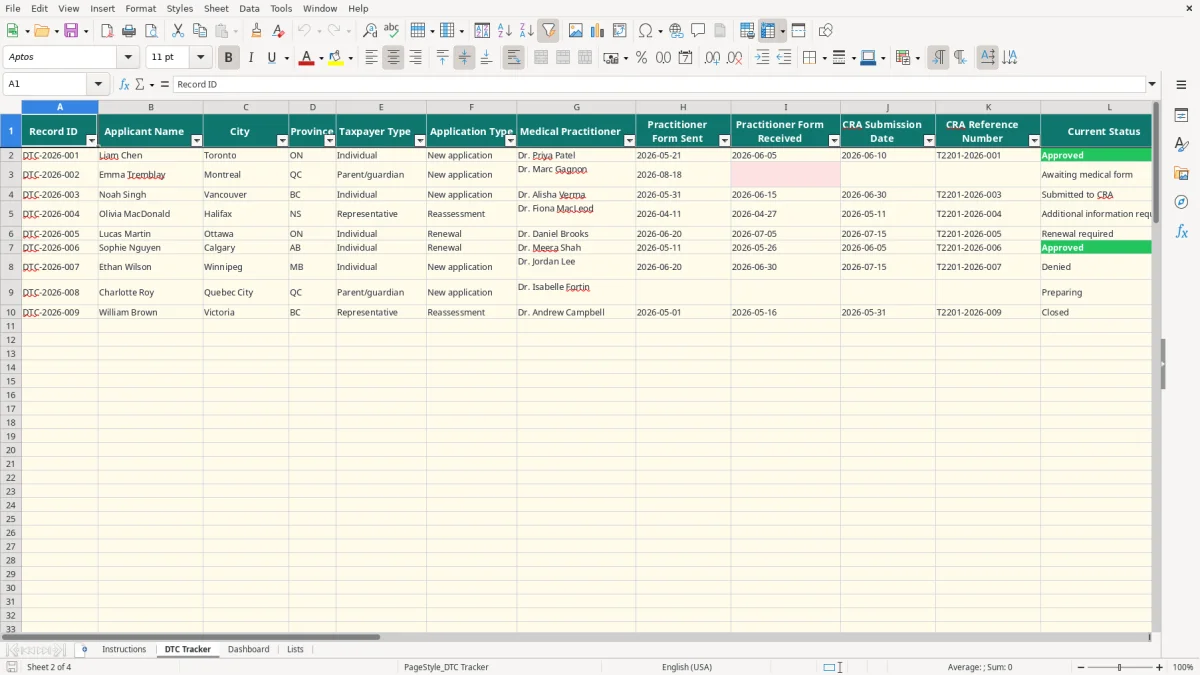
Suppose a family sends Form T2201 to a practitioner on 2026-05-21, receives it on 2026-06-05 and submits it to CRA on 2026-06-10. The DTC Tracker keeps those three milestones beside the reference number, status and notes instead of relying on email searches.
The sample workbook illustrates this pattern with Liam Chen, Emma Tremblay and Noah Singh. Those rows are populated examples, not evidence of eligibility or a required process. Rows 5 through 101 are prepared operational rows for additional records.
A renewal file needs a clear date owner. If a renewal due date is 2027-02-15, the Days to Renewal formula compares that date with TODAY(), while Renewal Flag labels it Current, Due within 90 days or Overdue. A file with no renewal date is labelled Not applicable rather than treated as current.
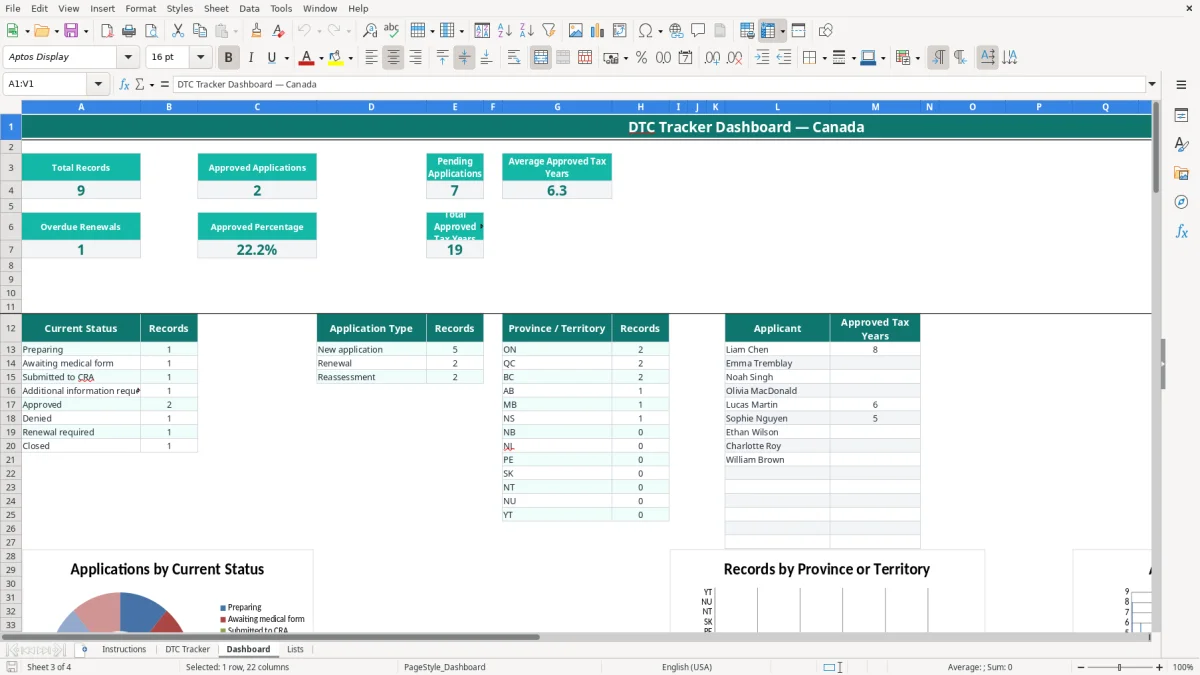
The Dashboard is most useful for a small administrator reviewing a portfolio. For example, three records can show one Approved, one Submitted to CRA and one Awaiting medical form, while the status chart provides a quick visual count. The workbook does not calculate the DTC amount, eligibility or retroactive tax benefit.
The Canada Revenue Agency (CRA) administers the DTC, and Form T2201 is central to the application process. The form includes applicant information and a medical practitioner certification; this workbook records whether the form was sent and received, but it does not assess the medical criteria or replace CRA instructions.
Enter Approved From Tax Year and Approved To Tax Year only after checking the Notice of Determination or other CRA communication. If an approval runs from 2019 through 2026, the workbook calculates 8 approved tax years with the formula O2-N2+1. The Estimated Eligible Tax Years % field compares that count with YEAR(TODAY())-2019; it is a tracking calculation, not a CRA percentage.
Do not use the tracker to promise a reassessment. CRA may identify approved years and next steps in its decision, and adjusted returns remain separate tax work. The workbook's Instructions sheet specifically says that eligibility, benefit amounts, reassessments and CRA decisions are not calculated.
DTC files contain sensitive personal and health-related information. Apply PIPEDA principles such as limiting collection, restricting access and securely disposing of information that is no longer needed. The safest practical stance is to record a practitioner name and administrative milestone, but not a diagnosis or detailed medical narrative.
Keep CRA correspondence, submission confirmations and supporting documents in an appropriately secured location. A spreadsheet entry such as No health details recorded is better than copying medical information into a shared Notes column. Confirm current CRA procedures and any applicable provincial privacy requirements before changing your workflow.
DTC files usually become difficult when dates, status labels and supporting evidence live in different places. A practitioner may receive Form T2201 but the administrator records only that the application is in progress. Without a received date, a follow-up call can be missed and the file may sit unresolved for weeks.
Consider four files with 15 minutes of weekly follow-up each. If one missing CRA reference number causes a 90-minute search through email and scanned documents, that single omission costs six times the normal weekly review effort. The tracker keeps sent, received and submission dates adjacent so the gap is visible.
Another mistake is entering a renewal date as text in different formats, such as 15/02/2027 in one row and 2027-02-15 in another. The formula in Days to Renewal requires a real Excel date. Entering a valid date produces a numeric day count; leaving the field blank produces a blank result, while the renewal flag correctly shows Not applicable.
The Dashboard can show an approved percentage, total approved tax years and average approved tax years. Those are portfolio summaries, not approval odds or benefit calculations. For example, 2 approved records out of 5 gives 40%, but it does not mean a new applicant has a 40% chance of approval.
Overwriting calculated columns is another avoidable problem. If someone replaces the formula in S2 with a typed 8, later changes to the approved tax years will not flow through to the Dashboard. Leave Q, R, S, T and V as calculated outputs and correct the source fields instead.
The tracker works best when you attach it to an existing administrative event rather than opening it only when a CRA letter arrives. Set a 15-minute review after the weekly mail or case-management check, then perform a longer review before the first business day of each month.
For example, a representative with 12 active records can spend 3 minutes on each file every Friday: 36 minutes to confirm dates, status and next action. The Dashboard then provides a monthly control total, while the three charts help reveal concentration by status, province or approved years.
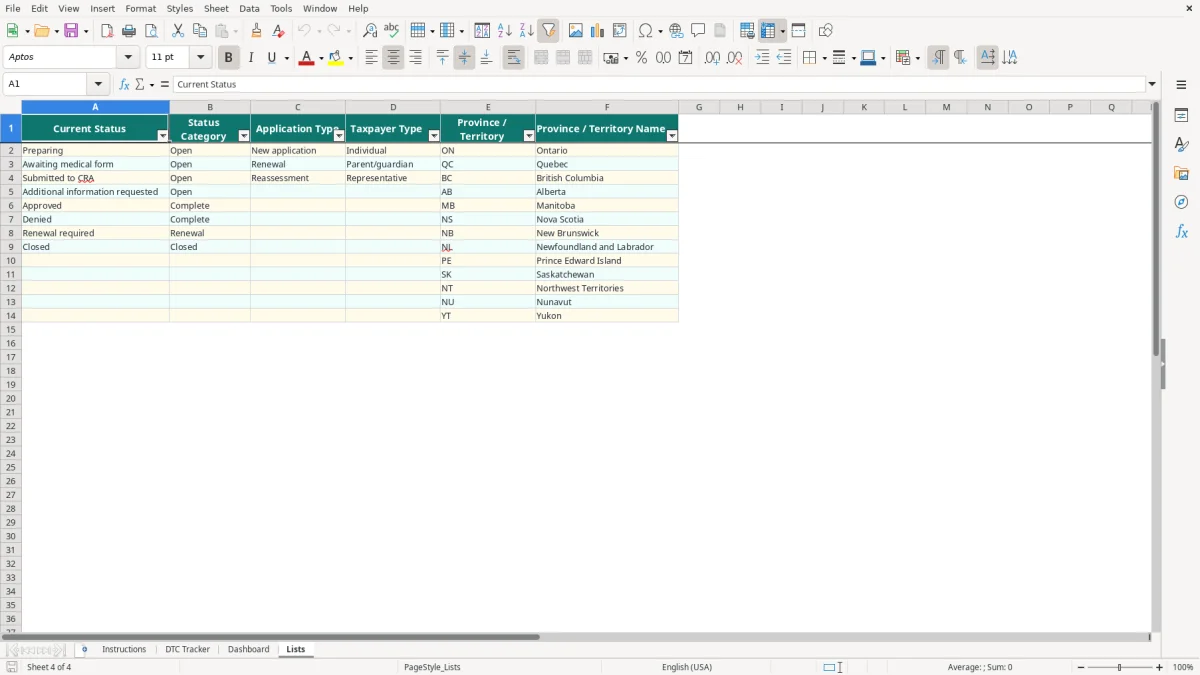
Limit access, store the workbook in an approved location and avoid sending copies by ordinary email when they contain personal information. Keep the Lists sheet intact because the DTC Tracker dropdowns use its defined values, including 13 province and territory codes.
This file is suitable for a small caseload with up to 100 prepared rows. Move to dedicated case-management or tax software when several users need simultaneous access, document versioning, audit history, automated reminders or more than 100 active records. Do not add those capabilities by assuming the current workbook already provides them.