
Maternity Top-Up Excel Template – Free (2026)
2
Free download
Tracks HBP RRSP repayments, balances, deadlines, and status across the 15-year repayment period.
Download template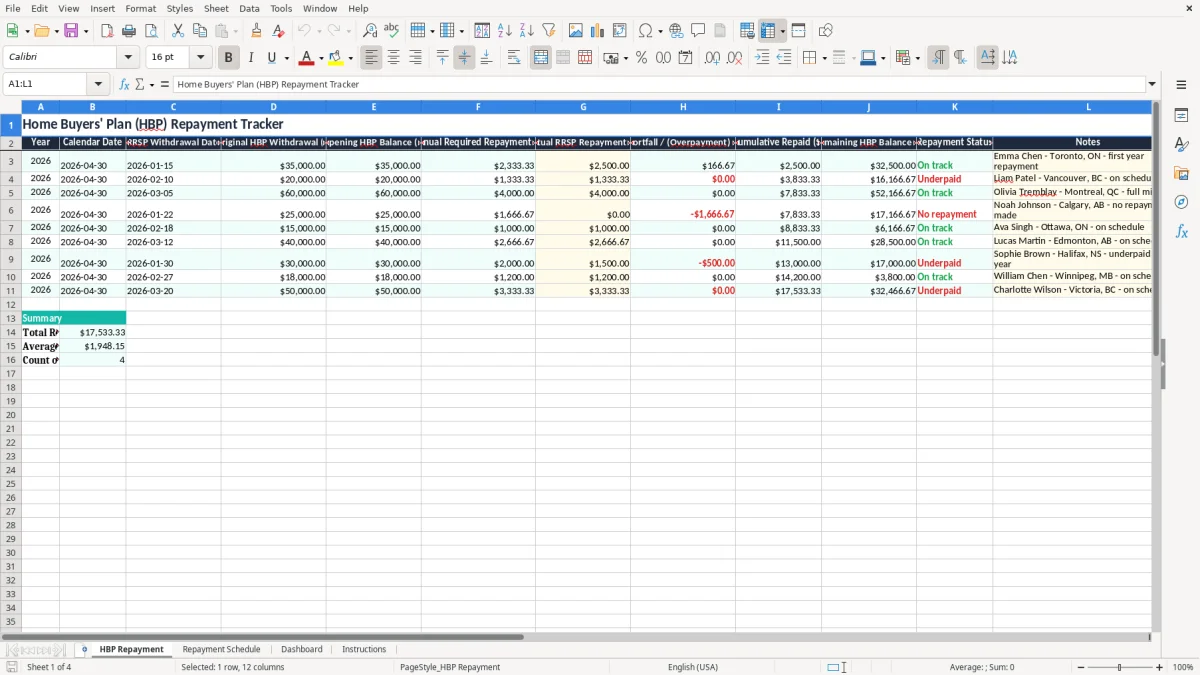
This Excel template tracks your Home Buyers' Plan repayment year by year. It includes an HBP repayment sheet, a repayment schedule, a dashboard, and instructions so you can see what you owe, what you paid, and what remains.
Use it if you withdrew from your RRSP under the HBP and need to keep the repayment on schedule. The workbook shows annual required repayment, actual repayment, shortfall or overpayment, cumulative repaid amounts, and the remaining balance.
In practice, this is the kind of sheet you open at year-end or when you are preparing your tax return and want a clean answer instead of hunting through RRSP slips.
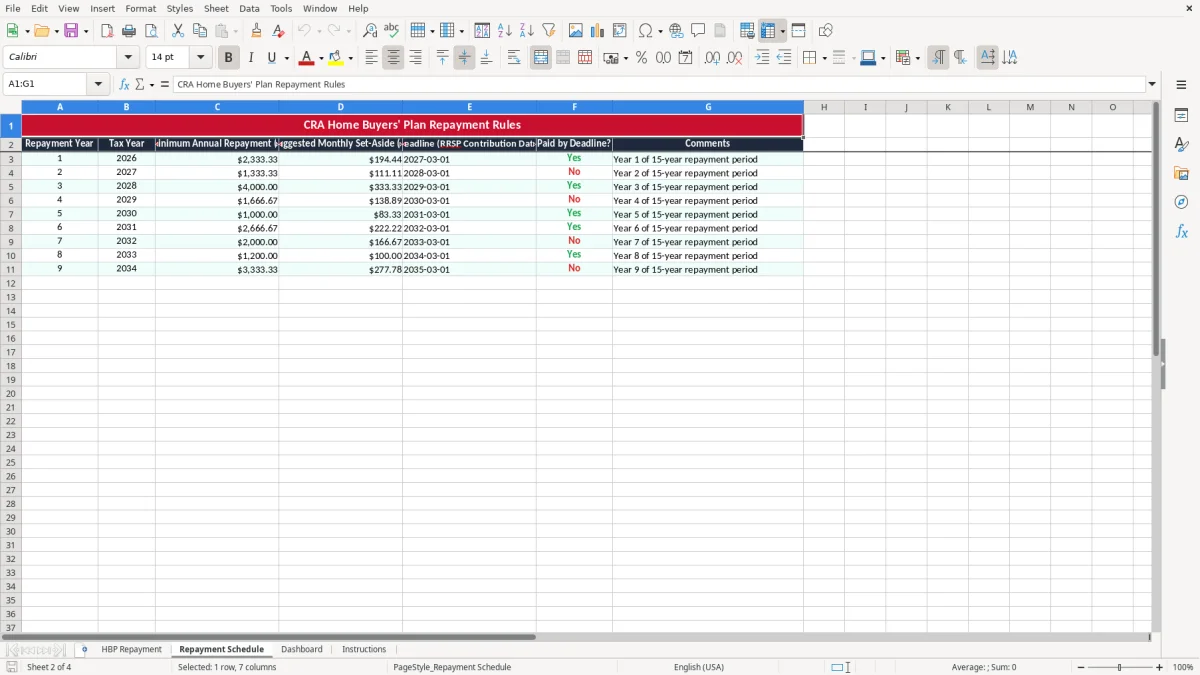
You use this workbook when you withdrew money from your RRSP under the Home Buyers' Plan and now need to repay it over the 15-year repayment period. It is the practical sheet for a first-time buyer who bought in Toronto, a couple in Calgary who each withdrew from their own RRSPs, or an incorporated employee who is also tracking personal tax records at year-end.
The pressure point is the RRSP contribution season and the tax-filing window. If your required repayment is $2,500 and you only contributed $1,800, the workbook shows the $700 shortfall immediately instead of leaving you to work it out from slips.
If you withdrew $35,000 and need to repay $2,500 this year, a single missed contribution changes the balance fast. After four years, a small annual shortfall of $500 becomes a $2,000 gap, which is exactly the kind of number you want to see before you file.
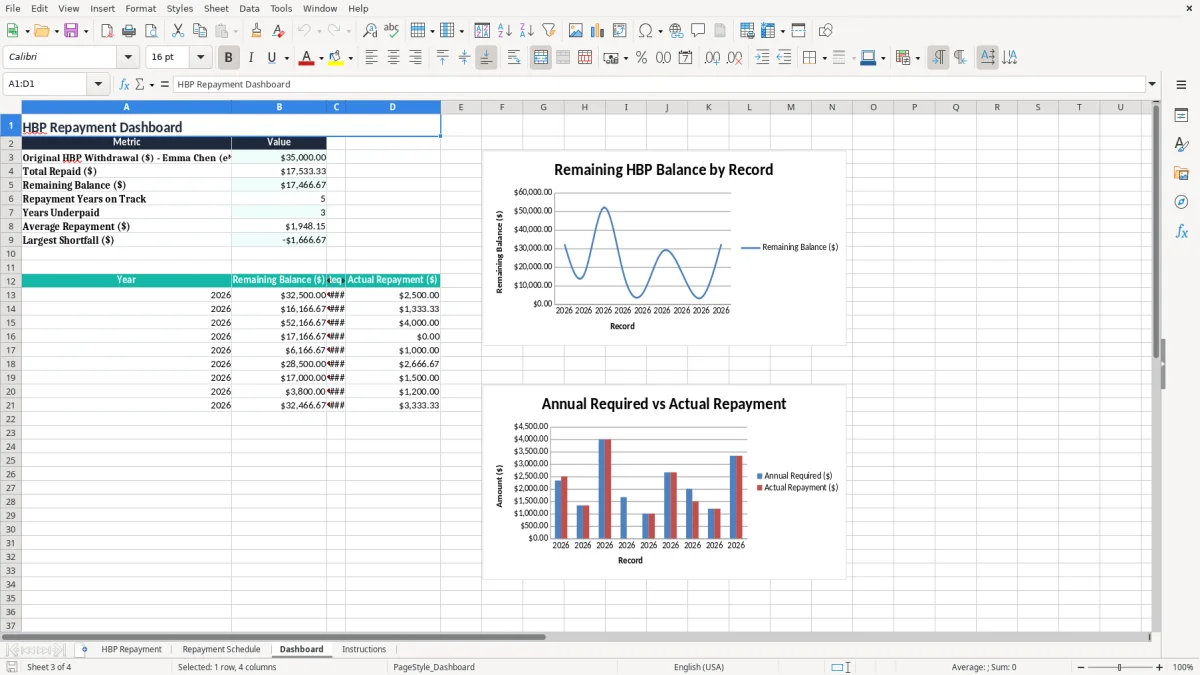
The CRA expects you to track your HBP repayment against the annual amount shown on your Notice of Assessment and your RRSP contribution records. The Home Buyers' Plan uses a 15-year repayment schedule, and the annual required repayment is commonly one-fifteenth of the original withdrawal amount unless you repay more.
If your original HBP withdrawal was $30,000, the basic annual repayment is $2,000. If you repay $2,600 instead, the extra $600 reduces the remaining balance and gives you breathing room in later years.
This template is better than a loose note on your phone because it keeps the withdrawal date, repayment status, and remaining balance in one place. The CRA wants records you can support, and a clear workbook makes it easy to show what happened if you ever need to check the history.
The same recordkeeping habit carries over to TFSA room tracking, where annual limits and withdrawals need to stay visible alongside each year’s activity.
The most common mistake is assuming any RRSP contribution counts automatically as an HBP repayment. It does not. If you contributed $4,000 to your RRSP but only designated $2,500 as the HBP repayment, the other $1,500 may be deductible in the normal way, but it does not reduce the HBP balance unless you designate it correctly.
A missed repayment can turn into extra income on your return for the year, which is far more expensive than the original shortfall. If you were supposed to repay $3,333.33 and you repaid nothing, you are carrying the full amount forward and creating another year of pressure on your cash flow.
People also mix up the RRSP contribution date and the HBP repayment year. A contribution made in March may matter for the current tax year, but if you do not enter it into the repayment schedule, you can easily double-count or miss it entirely.
A March contribution can also belong in a contribution room tracker, since keeping the deduction year and repayment year separate is what prevents double-counting.
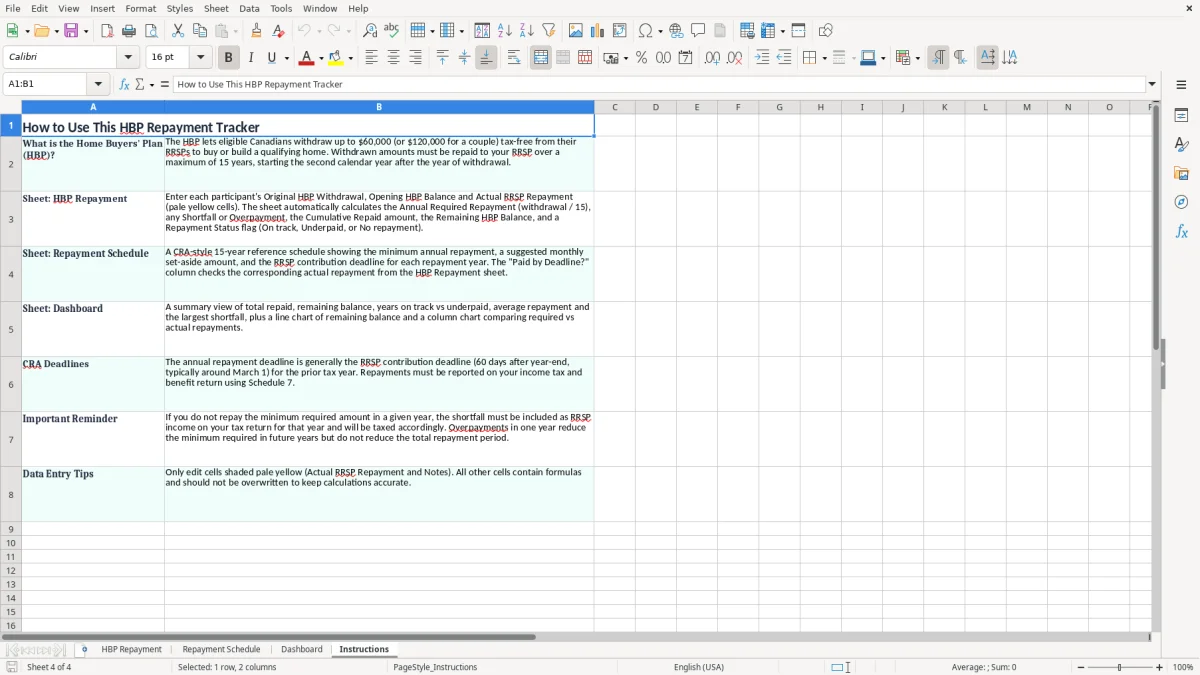
The easiest way to keep this file alive is to tie it to one fixed date every year: the same weekend you gather RRSP slips or the same day you prepare your tax return. If you update it once a year instead of every few months, you stay current without creating more admin than the file is worth.
If you are tracking multiple RRSPs, spousal accounts, or several homeowners in the same household, the workbook can still work, but you need discipline. Once the file becomes a multi-person record system with frequent edits, a bookkeeping workflow or tax software export may be cleaner.