
CNESST Remittance Excel – Free Template (2026)
0
Free download
Track CPP and EI remittances, due dates, balances, and payment status for payroll periods in Canada.
Download template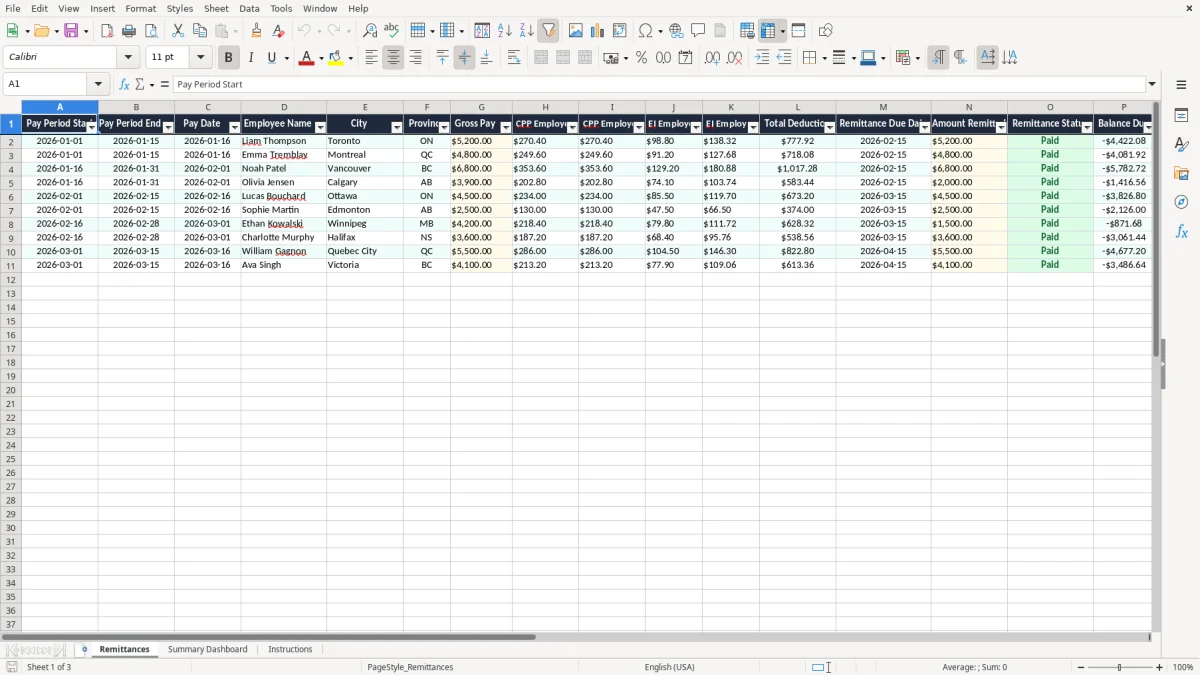
This CPP and EI remittance tracker is an Excel spreadsheet for recording payroll periods, employee deductions, employer shares, due dates, and payment status in Canada. It includes a Remittances sheet, a Summary Dashboard, and an Instructions sheet so you can see what was due, what was paid, and what still needs attention.
Use it if you run payroll for a small business, handle source deductions for an incorporated company, or reconcile remittances before month-end. The template is built to help you stay on top of CPP, EI, and the balance due without hunting through pay stubs or bank transactions.
The sample rows show Canadian payroll dates, provinces, and remittance timing, so you can copy the structure into your own payroll cycle right away. If you make one remittance per pay run or one per month, this gives you a clean place to track each entry.
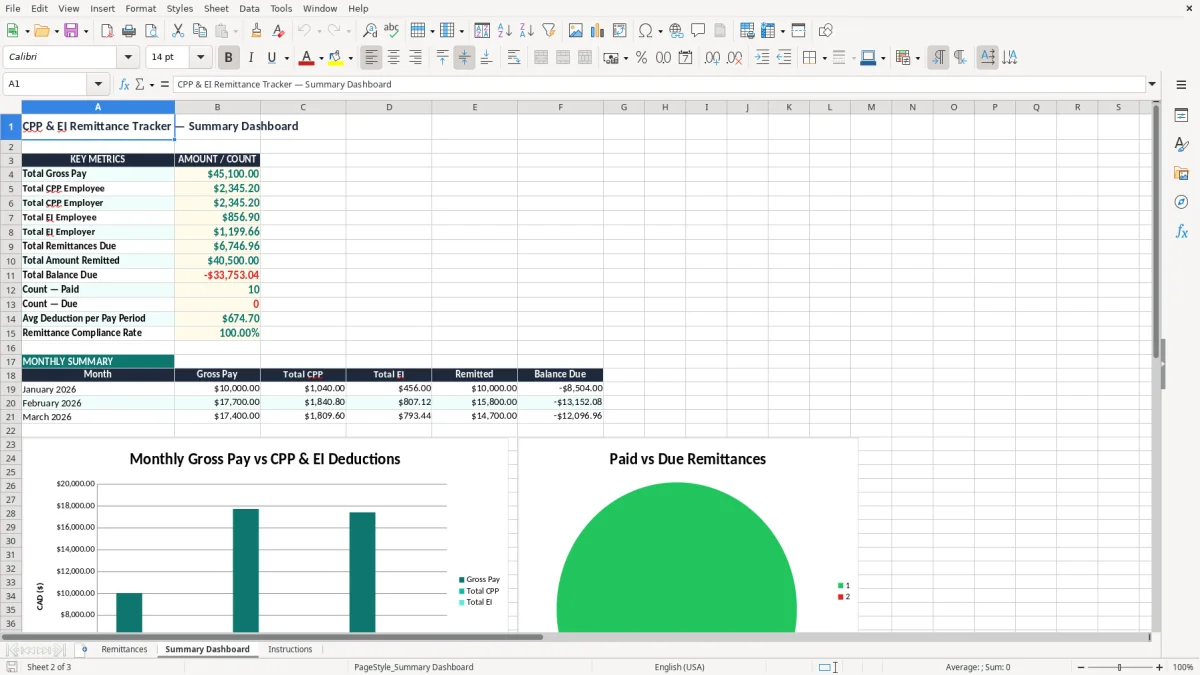
If you run payroll for a small company, this tracker becomes useful the first time a remittance date is close and you need to confirm the amount before money leaves the bank. A bookkeeper at an incorporated shop with 4 employees, for example, can enter each pay run and see whether the total deduction matches the amount sent to the CRA.
The Remittances sheet is the working tab. It has columns for pay period start, pay period end, pay date, employee name, city, province, gross pay, CPP employee and employer, EI employee and employer, total deduction, remittance due date, amount remitted, remittance status, balance due, and notes.
If you process payroll every 2 weeks, you may have 26 lines a year per employee. A payroll clerk with 12 staff can end up with more than 300 rows in a year, and that is exactly where a simple tracker beats memory and email threads.
Say one employee earns $5,200.00 on a pay run and the employer remits $520.00 in combined deductions for that person. If the payment sent is only $500.00, the tracker shows a $20.00 balance due immediately instead of letting the shortfall sit unnoticed until the next remittance review.
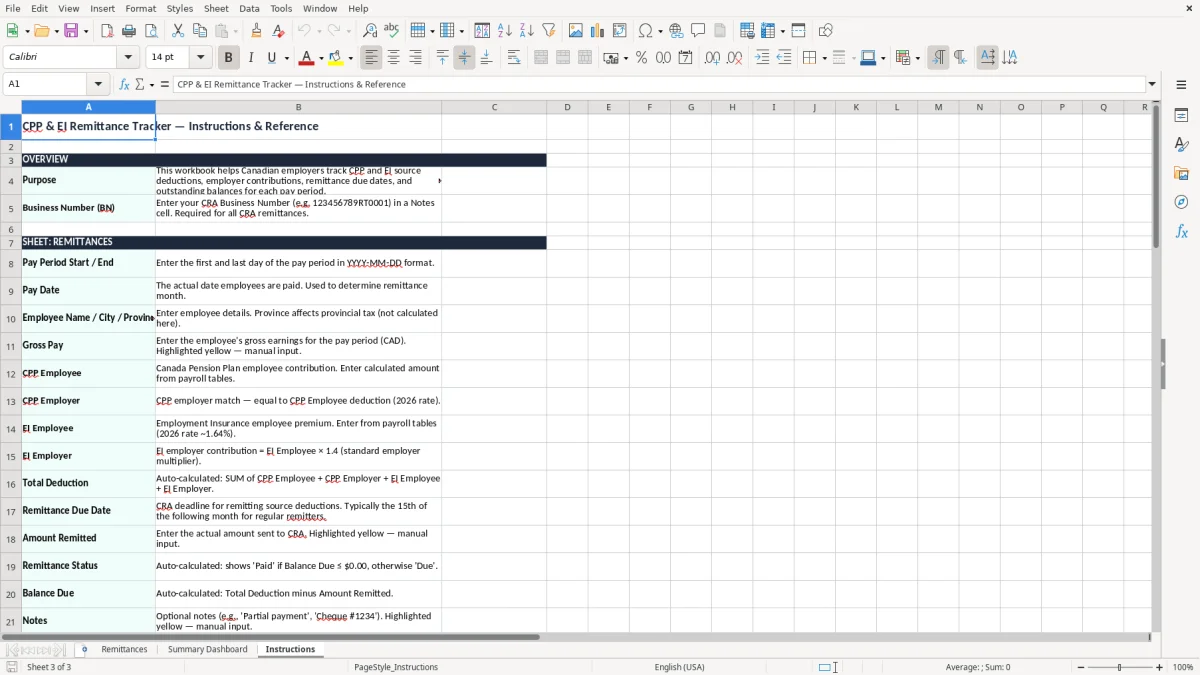
The CRA treats payroll remittances as source deductions, which means you are holding money that was withheld from wages plus the employer’s share of CPP and EI. If you have a payroll program account, the remittance must line up with your pay schedule and the due date you are assigned.
For most employers, remittance timing follows the payroll frequency and the CRA’s account setup. If you are a new small employer and remit on a regular cycle, the discipline is the same: keep the gross pay, employee deductions, employer amounts, and payment date tied together so the numbers can be traced later.
In 2026, CPP and EI calculations still depend on the payroll amounts and the annual maximums. You do not need to compute them inside this file, but you do need a place to store the results; one pay run at $6,800.00 gross can easily produce several hundred dollars in CPP and EI combined, as the sample data shows.
When you reconcile remittances before year-end, the tracker gives you a clean trail for the payroll records that support T4 slips. If a remittance is short by even $15.00 or $25.00, that is the kind of small difference that turns into a noisy reconciliation later.
The biggest problem is not the calculation itself. It is the mismatch between payroll records, bank payments, and the due date, and that usually shows up when someone is trying to close the books in a hurry.
A common error is recording the remittance as paid when only part of it went out. If the total deduction on the sheet is $1,240.00 and the bank transfer was $1,180.00, the missing $60.00 will sit there until you compare the tracker to the bank line.
Another frequent mistake is mixing up employee and employer amounts. On a pay run for 6 employees, that can distort the payroll liability by a few hundred dollars, and then the balance sheet no longer agrees with what should be payable.
A remittance entered with the wrong due date can force a manual search through payroll reports, bank confirmations, and email approvals. In a month with 4 payroll runs, one bad line can cost an hour or more, especially if the payroll file is shared between the office manager and the outside bookkeeper.
The easiest way to keep this alive is to tie it to something you already do, such as payroll approval or the bank payment run. If you pay staff every 2 weeks, open the Remittances sheet on the same day you approve payroll and enter the row before you move on.
Once you are tracking hundreds of rows a year or handling multiple payroll programs, a spreadsheet starts to feel tight. At that point, you usually need a payroll system or accounting software that posts directly to your general ledger and remittance records.