
Ice Fishing Hut Rental Log Excel – Free Template (2026)
8
Free download
Mileage log with CRA rate, allowance claim, parking, tolls, approvals, and a dashboard for Canadian business travel.
Download template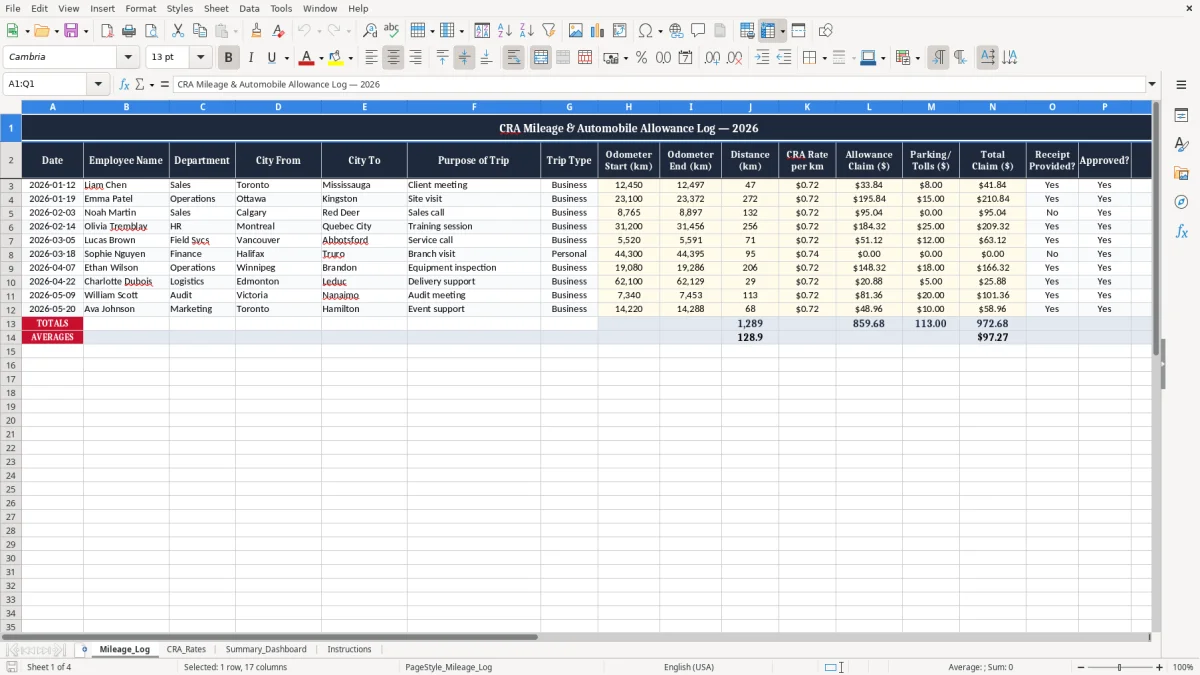
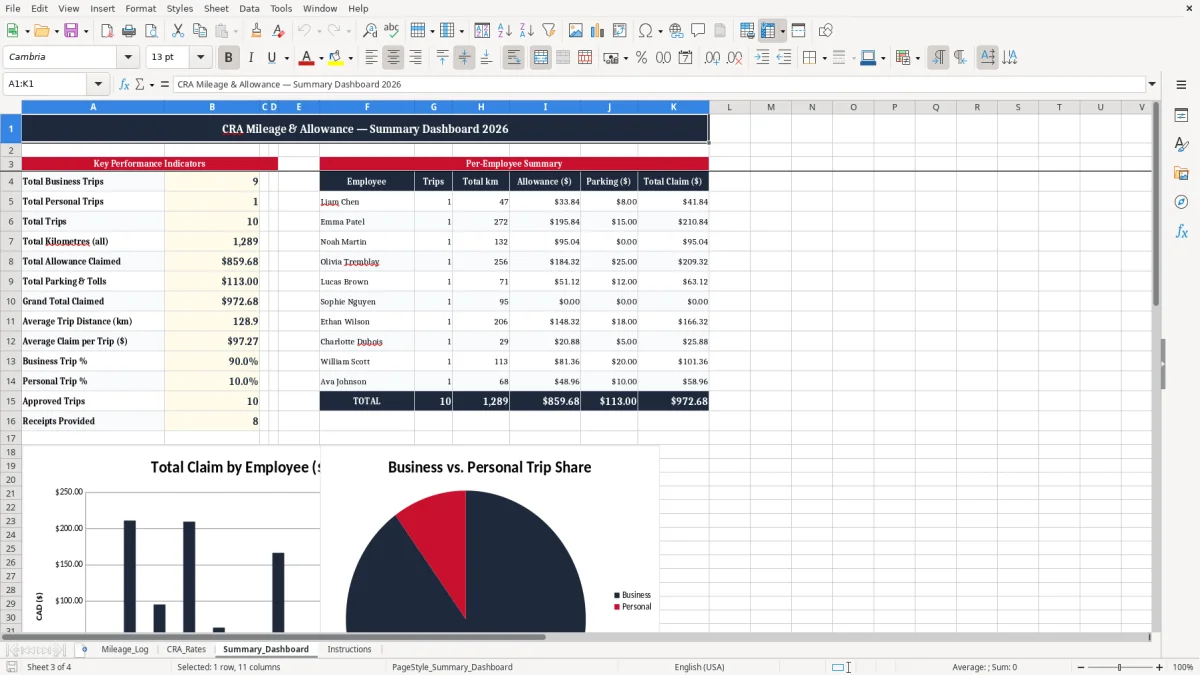
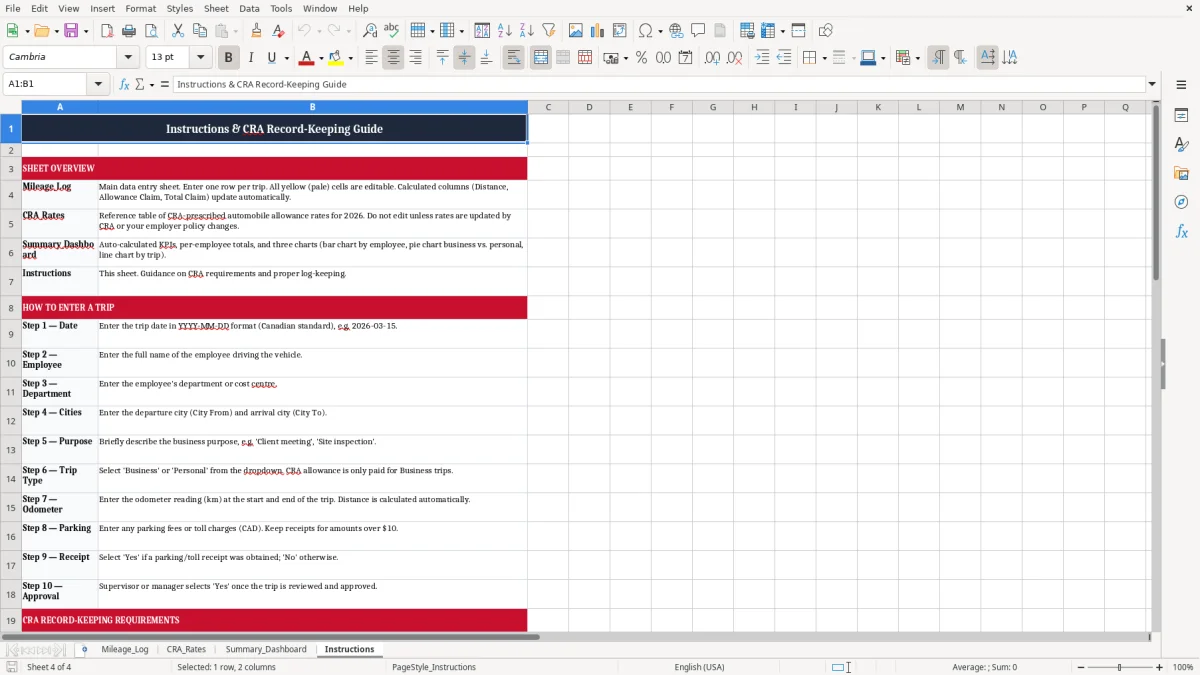
This Excel mileage log tracks business trips, CRA rate per kilometre, parking, tolls, and total claims in one place. It includes a detailed Mileage_Log sheet, a CRA_Rates sheet, a Summary_Dashboard, and instructions for the person filling it in.
Use it for employee reimbursements, owner-operator claims, or monthly travel records when you need clean support for your books. The layout is built for Canadian mileage tracking, so you can tie each trip to a date, a route, and an allowance amount without rebuilding the file every month.
If you claim business travel inside Canada, this template keeps the numbers visible and the paperwork consistent. It is easier to review at month-end, at year-end, or when your bookkeeper asks for backup on a reimbursement.
The Mileage_Log sheet is for the person who drives for work and needs a clean record by the time reimbursement or filing comes around. That can be a sole proprietor on T2125, a bookkeeper at an incorporated business, an office manager at a plumbing company, or a volunteer treasurer who needs to show why the cheques went out.
The pressure point is usually month-end, payroll run, or year-end. If you have 4 employees visiting job sites and each one submits 12 trips a month, you are already checking 48 lines before you even look at parking or tolls.
This is not just a distance list. The sheet asks for date, city from, city to, purpose, odometer start, and odometer end, which is exactly what you want when someone asks why a $184.80 claim was paid for a week of calls in Mississauga and Oakville.
Image 1 shows the log laid out across 17 columns, with room for allowance, receipts, approval, and notes. That structure is practical when one employee drives 300 km in a week and another only logs two short visits to a supplier.
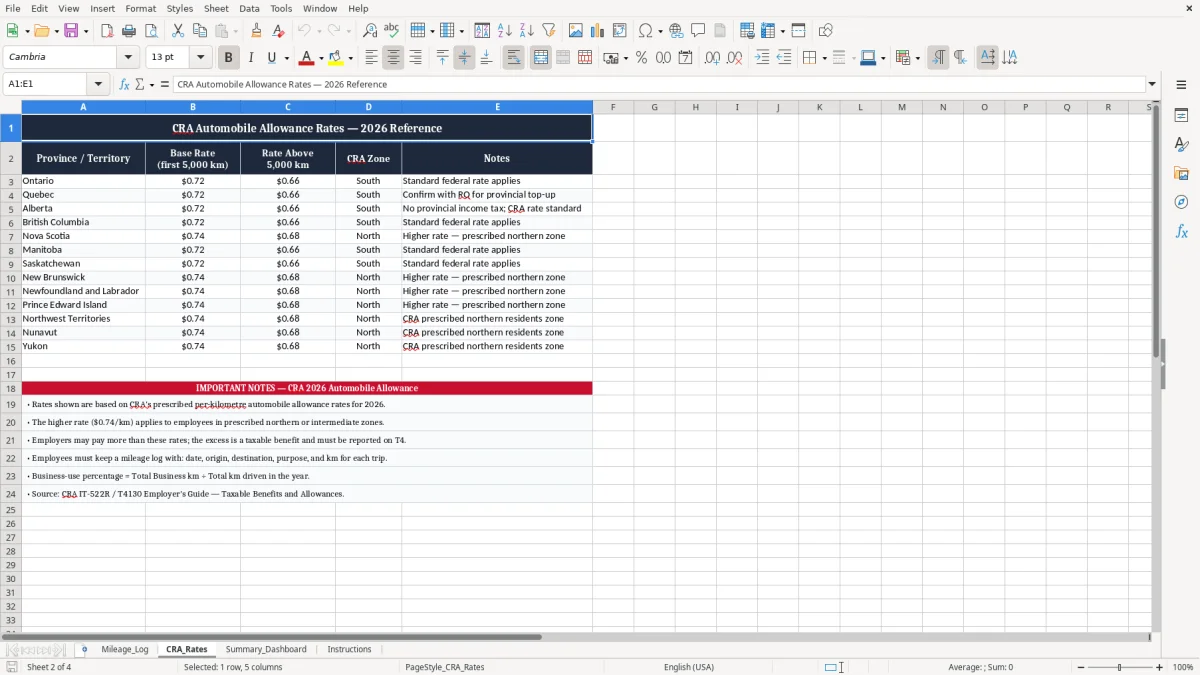
The CRA expects business vehicle records to be complete enough to support the claim, and you keep them for six years. For 2026, the current mileage allowance rate shown on the CRA_Rates sheet should be used consistently for the period you are claiming.
If you pay an employee $0.68 per kilometre for 150 km, the claim is $102.00 before parking and tolls. If the trip also had $18.50 in parking, the total claim becomes $120.50, and that is the number that should land in your expense record.
For a sole proprietor, the mileage log supports vehicle expenses on T2125. For an employer, it helps distinguish an allowance from a separate reimbursement so you do not blur kilometre pay, parking, and receipt-based costs into one messy line.
The spreadsheet keeps the rate visible instead of buried in memory or in an email thread. That matters when you review 20 trips at once and need to prove the allowance was built from distance, not from a rounded estimate.
The usual failure is a log that shows a total distance but no route, no dates, and no odometer start or end. On audit, that can turn a legitimate-looking $1,200 annual claim into a partially denied expense because the support is too thin.
Parking and tolls are the easy part to lose. If 16 parking slips at $9.00 each go missing, that is $144.00 gone, and if the claim was pushed through without approval, you also spend time recreating who authorized it and when.
Another common error is paying the kilometre allowance twice: once in payroll and once from accounts payable. On a file with 8 drivers and 2 pay periods per month, that kind of duplication can create a $300 to $600 overpayment before anyone notices.
The template reduces those errors by keeping Receipt Provided? and Approved? beside the claim itself. You are not relying on memory, and you are not trying to sort the receipts after the month has already closed.
Once those claim checks are in place, the same month-end discipline extends to a rental income statement for separating income, expenses, and supporting records before filing time.
The easiest way to keep this alive is to tie it to one fixed moment: payroll cut-off, month-end closing, or the last Friday before the GST/HST filing work starts. If the log is updated every Friday for 10 minutes, you avoid the pile-up that turns 6 trips into 26 half-remembered ones.
If you are tracking 500+ trips a month, paying multiple crews, and matching vehicle claims to dispatch software, you may need a fleet or expense system. Until then, this workbook is the practical middle ground: simple enough for a small office, but structured enough for CRA support.
When mileage and crew reimbursements outgrow this workbook, the next step is a business expense tracker for CRA support.